Share Document
The Share Document option allows users to share a selected document with other users or stakeholders, enabling easy access and collaboration without downloading the file.
To share document, follow the steps below:
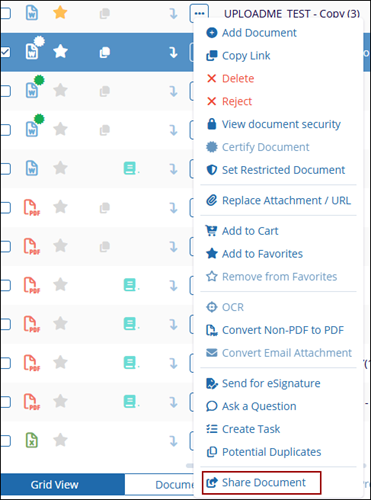
- Select the Share Document option from the Document Activities
menu.
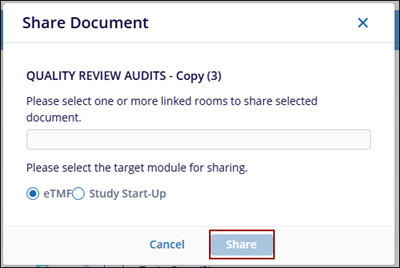
- The Share Document pop-up window opens where the user needs to select the one or more linked rooms to share selected document.
- Select the target module for sharing and click Share button.
-
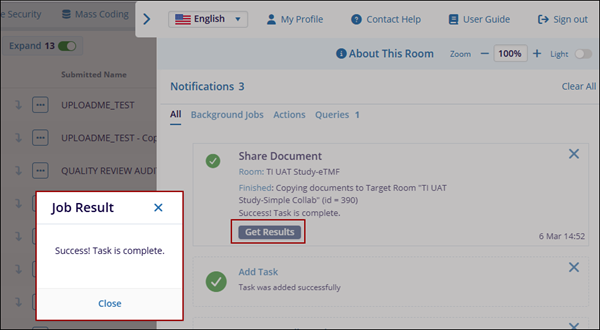
The Share Document notification message is displayed with Get Results button.
- Click Get Results button, the Job Result pop-up window is displayed with the success message.
- Click Close button.