Ask a Question
This option allows users to submit a document-specific question directly to the Q&A module of the room.
To submit a document to Q&A module, follow the steps below:
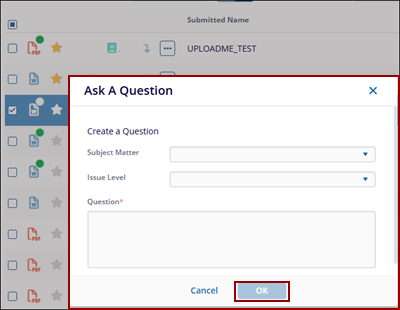
- Select the Ask a Question option from the Document Activities menu.
- Select the relevant subject or category related to the document query from the dropdown list in the Subject Matter field. This helps in categorizing the question for proper review and response.
- Select the Issue Level of the query based on its urgency or impact. Available
options include:
-
High: Indicates a critical issue that requires immediate attention.
-
Medium: Indicates a moderate issue that should be addressed in a timely manner.
-
Low: Indicates a minor issue or general query with lower priority.
-
- Within the Ask a Question dialog box, enter the question into the respective field
and click on the OK button.
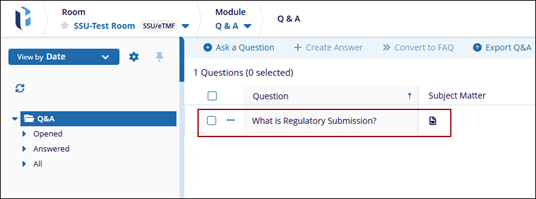
- Once successfully created, the question displays in the Q&A module.