
Tasks Module
A Tasks module allows users to create tasks for specific rooms. Users can view tasks, add new ones, edit, delete, and export task records. The interface provides an option to filter tasks by different views.
The Tasks module enables task creation, assignment, and progress tracking within a study room. The tasks can be utilized to hold assigned users accountable and streamline study progress.
To access the Tasks module, follow the steps below:
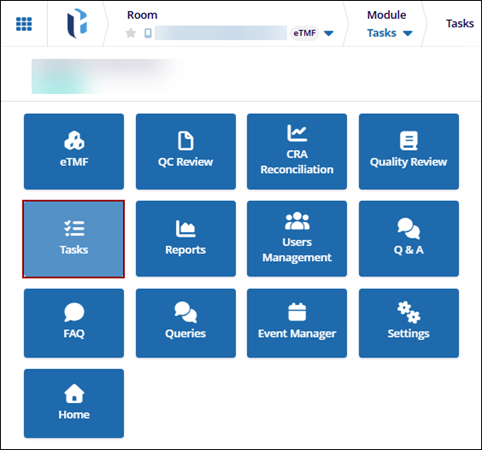
- Click the waffle menu (navigation grid) at the top left.
- Select the Tasks module.
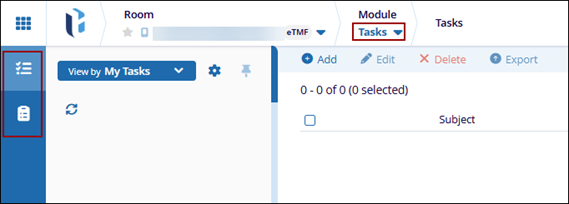
- The Task module displays the following options in the left-hand navigation
pane:
- Tasks
- Audit Trail (For Administrators only)
Note:- The Tasks module must be enabled at the room level by a Super Administrator to allow access.
- To assign tasks to other users, the Tasks action must be granted in the user’s profile through the User Management module.

