
Communication Module
The Communication module within Trial Interactive supports an inbox for receiving emails with document attachments, and an outbox for outgoing communications. Along with the ability to send out notifications for communications.
To access the communications module, follow the steps below:
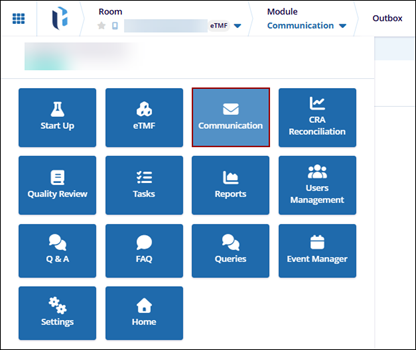
- Click the navigation grid (waffle menu) in the upper left corner of the screen.
- Select the Communications module.
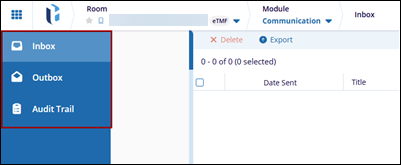
- The Communications module displays the following tabs in the left-hand navigation pane.
- Inbox
- Outbox
- Audit Trail
Note:- The Communications module must be enabled at the room level by a Super Administrator to make it accessible from the navigation grid.
- To access the Communication Inbox from the left-hand navigation pane, it must be enabled at the room level. Refer to Inbox Settings for additional details.
- To access the Communication Outbox from the left-hand navigation pane, it must be enabled at the room level. Refer to Outbox Settings for additional details.

