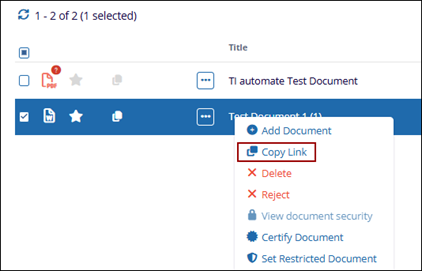
Copy Link
Allows the user to copy the direct link of the selected document to the clipboard, enabling quick sharing or easy access to the document.
To copy link, follow the steps below:
- The Copy Link option allows the user to quickly copy the direct URL of the selected document.
- Once clicked, the document link is copied to the clipboard.
-
The user can then paste this link into emails, chats, or other documents to easily share or access the specific file within the system.
- This helps users navigate directly to the document without manually searching for it.
- Click on the three-dot menu and select the Copy Link option.