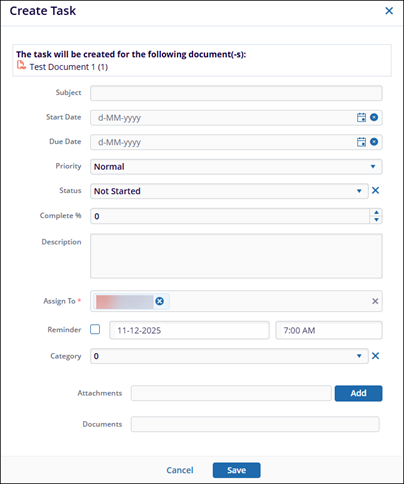
Create Task
Explore Job Aids for more help:
Job Aids
To create a task, follow the steps below:
- Select the Create Task option from the Document Activities menu.
- On the Create Task form, fill in the necessary details and click on the Save button.
- The task was added successfully notification message is displayed.