Convert Non-PDF to PDF
This option allows users to convert supported non-PDF file formats (such as Word, Excel, or images) into a PDF document for consistent viewing, storage, and sharing within the system.
Follow the steps below to convert non-PDF files into PDF files:
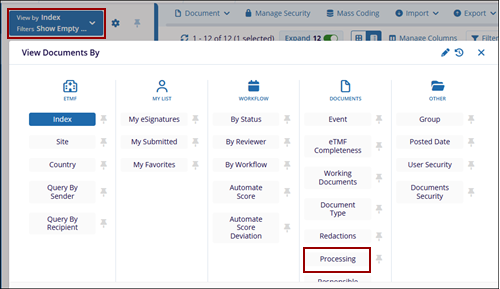
- Select the Convert Non-PDF to PDF option from the Document Activities menu.
- Access the View by dropdown and select the Processing view in the Documents
column.
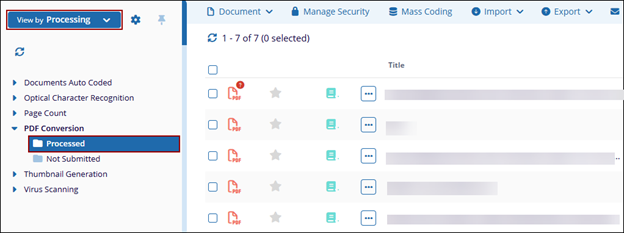
- Expand the PDF Conversion folder and select the Processed sub-folder
to view the document converted into a PDF file.