
Add to Cart
Explore Job Aids for more help:
Job Aids
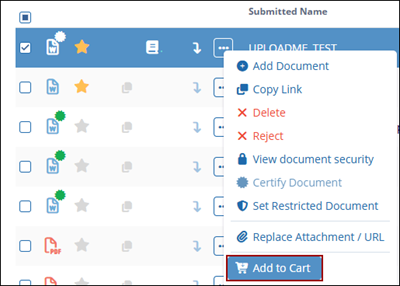
The Add to Cart option allows the user to add the selected document to the cart for performing bulk actions or processing multiple documents together at a later stage.
Follow the steps below to add the document to the cart:
- Select a document and click on the Add to Cart button from the document activities menu.
Refer to the Document Cart section for detailed steps to manage documents from the documents cart.

