
Relate Documents
Users with Editor and Administrator access related the documents with this option:
- Add the required documents to the Documents Cart and click the arrow next to it to open the Documents Cart window.
- On the Documents Cart window, click on the Actions dropdown and select the
Related Documents option.

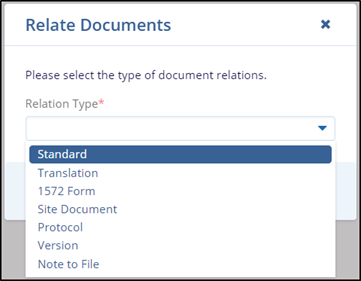
- On the Relate Documents window, select the appropriate option from the dropdown menu.
- Click on the Save button to complete the related documents process. A notification Documents related is displayed in the top right corner of the screen.

