Search
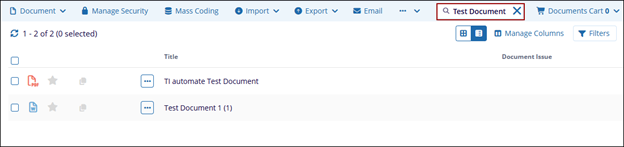
The highlighted search field represents the global document search input within the eTMF Documents module.
This search field allows users to quickly locate documents within the current view or
module by entering keywords related to document metadata, such as document title, name,
or associated identifiers.
- As a keyword (e.g., Test Document) is entered, the system filters the document grid dynamically.
- Only documents matching the entered text are displayed in the results list.
- The search is typically contextual, meaning it applies to the currently selected
folder or document listing rather than the entire system (unless configured otherwise).