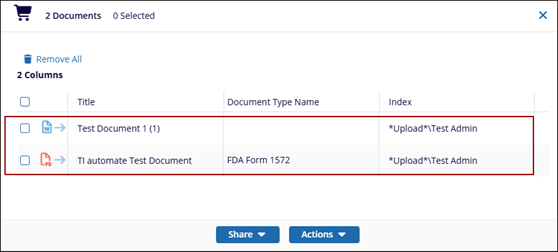
Document Cart
The Documents Cart is used for the documents that can be added so that users can perform one of a number of actions to the selected documents.
Add Document to Cart
To Add documents to the cart, follow the steps below:
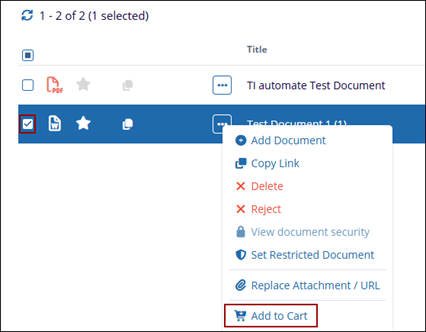
- Locate the document which is to be added to the Document Cart and select the checkbox next to it.
- Right-click on the three-dotsand select the Add Selected to the Cart
option or simply click and drag the document to the documents cart.
- Else, drag the document(s) to the documents cart.
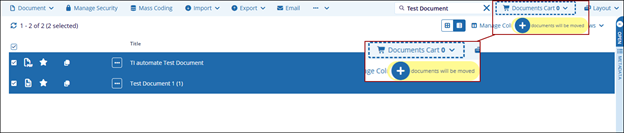
- Once a document is added, it will automatically update to reflect the number of
documents available in the cart.