Add to Submission Package
Administrators, managers, and editors can add documents to the cart from the grid to include them in a start‐up submission package by using this option.
Note: This option will only be available in rooms where Study
Start-Up is enabled.
To add documents to the submission package, follow the steps below:
- Add the required documents to the Documents Cart and click the arrow next to it to open the Documents Cart window.
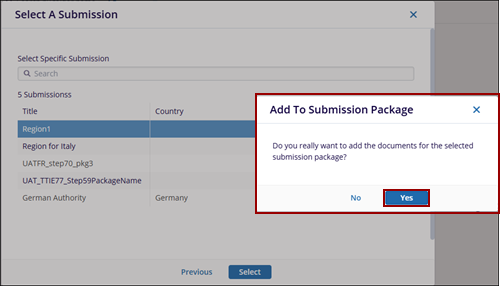
- On the Documents Cart window, click on the Actions dropdown and select the
Add to Submission Package option.
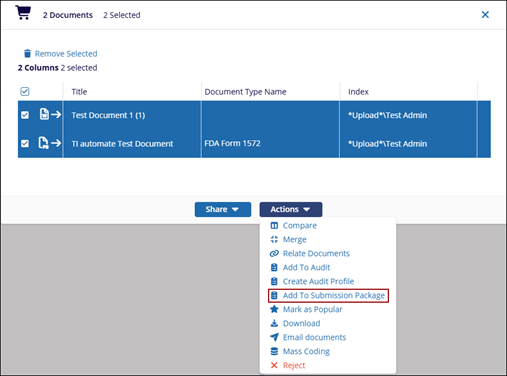
- On the Select a Submission window, choose a submission package and click on the
Select button.
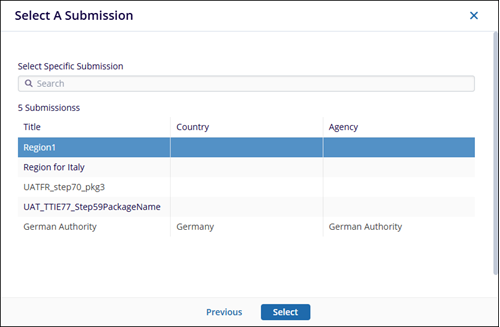
- The Add To Submission Package pop-up window is displayed.
Click Yes if the user wants to add the documents for the selected submission package or No if not.