Create Audit Profile
Admins can add documents to the cart from the grid and create audit profiles using the Create Audit Profile option.
To create an audit profile, follow the steps below:
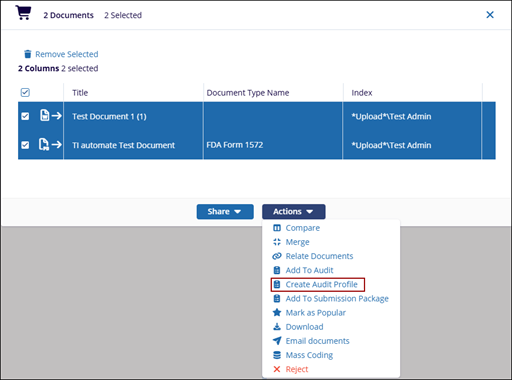
- Add the required documents to the Documents Cart and click the arrow next to it to open the Documents Cart window.
- On the Documents Cart window, click on the Actions dropdown and select the
Create Audit Profile option.
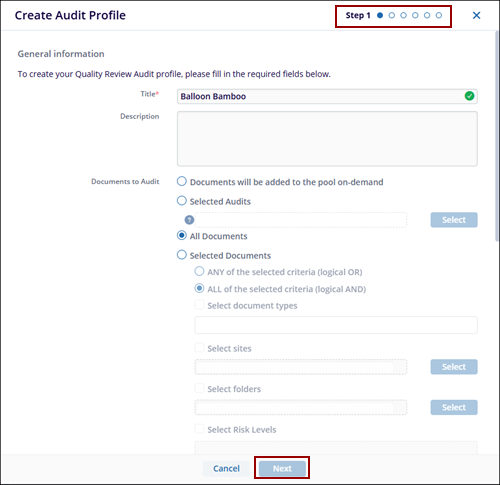
- The Create Audit Profile popup opens.
- On the Create Audit Profile form, the user can Add, Remove, Activate and Deactivate
the users and groups to the audit.Note: At least one active Auditor must be assigned to the Audit.
- Click Next button after completing all the provided instructions on each
page.
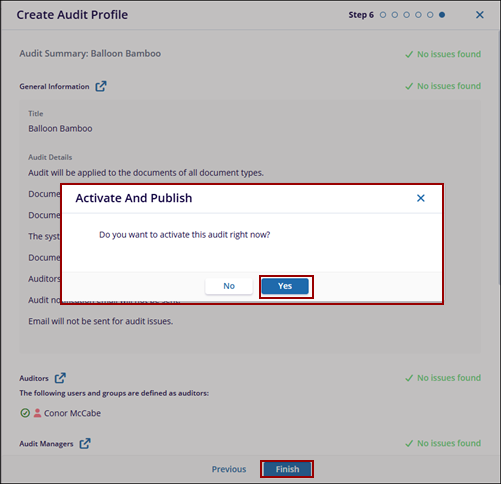
- Once done click Finish button. The Activate And Publish pop-up window is displayed with No and Yes button.
- Click Yes, the notification message will be displayed that the Audit Profile
was created successfully.