Share to Another Room
This option allows users to copy the selected document(s) from the current room to a different room within Trial Interactive. It enables reuse of documents across studies or workspaces while maintaining efficiency and consistency. Users can select the target room, and the system will replicate the document along with its associated metadata, based on permissions and configuration.
To share documents to another room, follow the steps below:
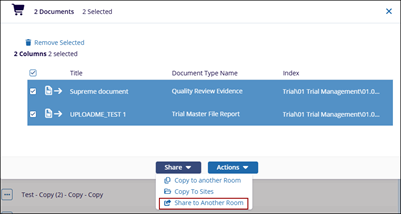
- Add the required documents to the Documents Cart and click the arrow next to it to open the Documents Cart window.
- Click on the Share dropdown and select Copy to another Room
option.
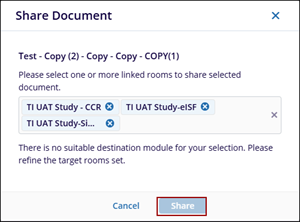
- The Share Document pop-up window is displayed.
- Select one or more linked rooms to share selected document and click
Share option.