
Settings
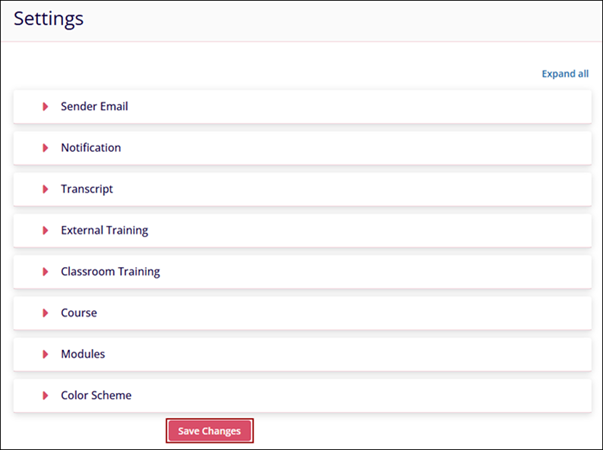
The Settings section enables Company Admins to configure key system preferences and learning options. From managing email senders and notifications to customizing training, courses, and the overall color scheme, this module provides centralized control to tailor the platform to organizational needs.
To configure the settings, follow the steps below:
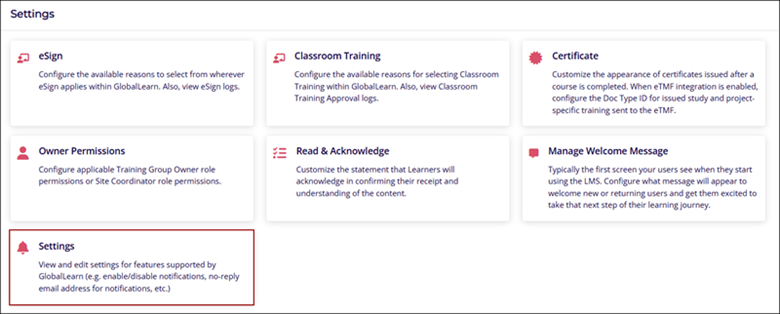
- Navigate to the Company Dashboard and select Settings at the bottom of the page.
- Configure the following settings and click on the Save Changes button.
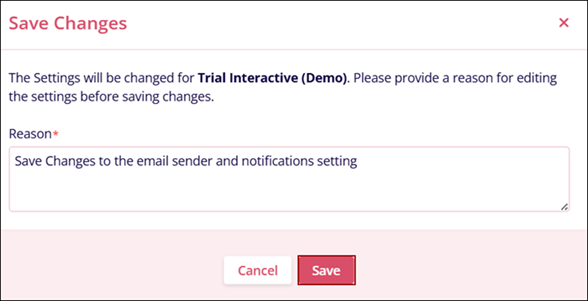
- Enter a reason adhering to the character requirements and click on the Save
button.
For more information, review the subsections for each setting.
© 2025 Trial Interactive. All Rights Reserved

