
Owner Permissions
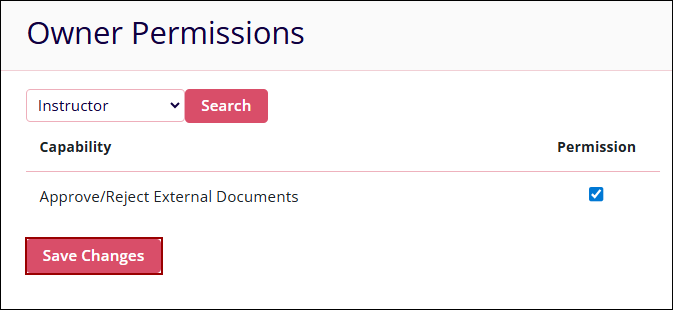
Company Admins can configure Training Group Owner role permissions or Site Co-Ordinator role permissions. Additionally, users can search for an owner and assign required permissions by clicking on the appropriate checkboxes.
To configure the owner permissions, follow the steps below:
- Navigate to the Company Dashboard and select Owner Permissions.
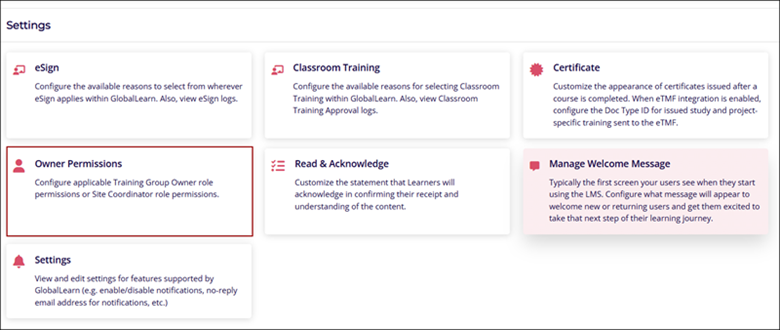
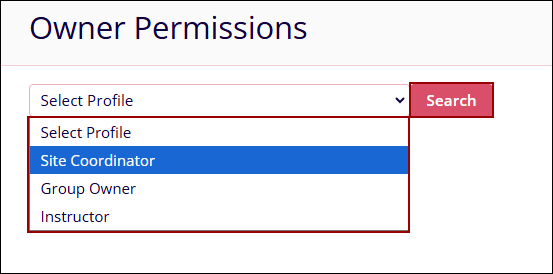
- Click on the Select Profile dropdown, select any one of the options, and click on the
Search button.
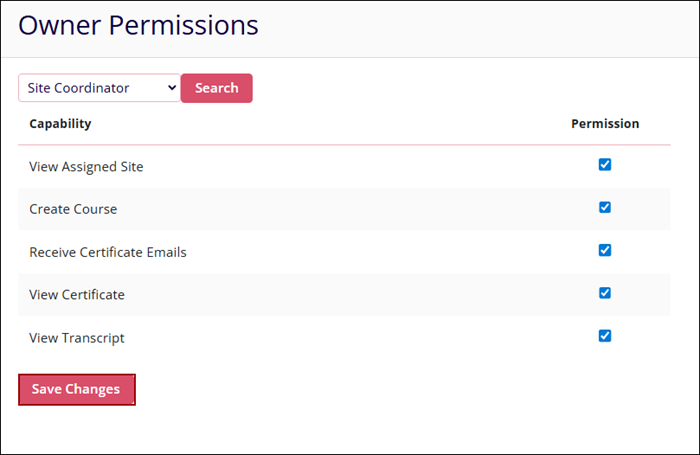
- If the Site Coordinator is selected as the profile, adjust the following permissions by
checking or unchecking their respective checkboxes and click on the Save Changes
button.
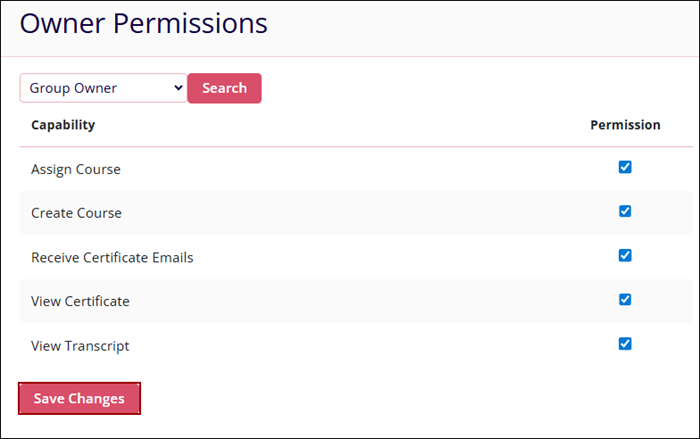
- If the Group Owner is selected as the profile, adjust the following permissions by
checking or unchecking their respective checkboxes and click on the Save Changes
button.
- If the Instructor is selected as the profile, adjust the following permissions by checking
or unchecking their respective checkboxes and click on the Save Changes button.
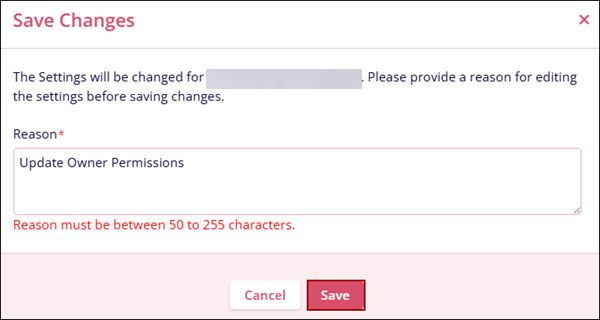
- On the Save Changes pop-up, mandatorily add a reason and click on the Save
button.
© 2025 Trial Interactive. All Rights Reserved

