
Notification
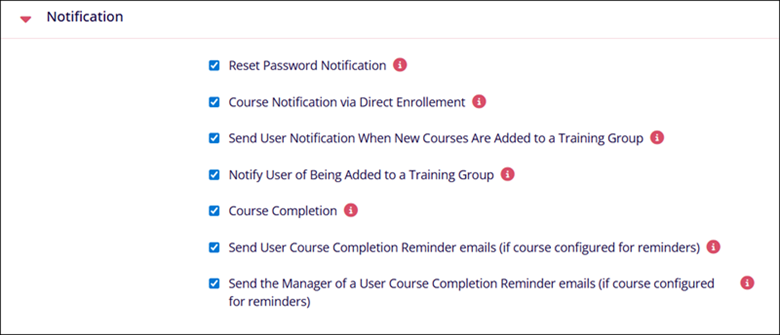
The Notification setting allows selecting what types of notification messages users will receive when they perform certain actions.
To enable or disable the notification trigger, check or uncheck each notification type checkbox respectively.
| Setting Name | Description |
|---|---|
| Reset Password | This setting will send reset password emails to users when enabled. |
| Course Notification via Direct Enrollment | This setting sends a course enrollment email notification if a course is assigned by the course catalog or direct enrollment |
| Send User Notification When New Courses Are Added to a Training Group | This setting sends a course enrollment welcome email notification if the course is mapped to the training group with users |
| Notify User of Being Added to a Training Group | This setting sends a course enrollment welcome email notification if a user is mapped to a training group with courses |
| Course Completion | Send course completion notification |
| Send User Course Completion Reminder emails (if course configured for reminders) | Send a course completion reminder notification to the Learner |
| Send the Manager of a User Course Completion Reminder emails (if course configured for reminders) | Send a course completion reminder notification to the Manager |
Note:
- The course completion notification job runs once daily at 6:00 AM EST. Based on the current LMS configuration, when a learner completes a course, the notification is triggered during the next scheduled run. Depending on the time of completion, it may result in the notification being sent on the following day.
- The course enrollment and certificate issuance notifications are processed through a separate scheduled job that runs every hour. During each hourly run, the system checks for any new updates and sends the corresponding notifications accordingly.
© 2025 Trial Interactive. All Rights Reserved

