
Content Library
Explore Job Aids and Videos for more help:
Job Aids
Videos
Content Library acts as a repository where users can upload and store course content as Documents, Audio, Video, and other file formats. It facilitates linking the course content to a particular course.
Within Content Library users can perform the following.
Upload Content
- Navigate to the Company Dashboard page and select Content Library
- Click on the Upload button on the Content Library main screen.
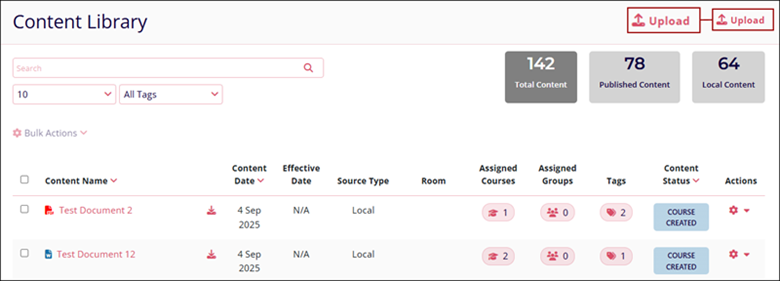
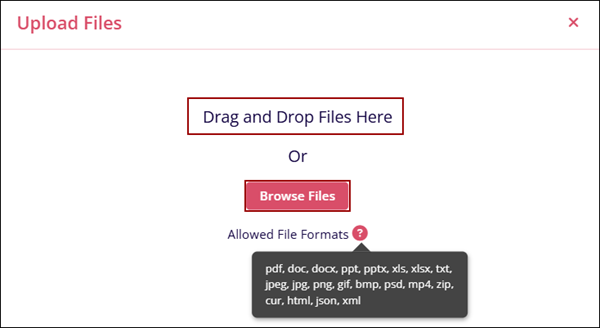
- On the Upload Files screen, Drag and drop the required files into the designated area.
- If not drag and drop, click on the Browse Files button.
- Additionally, hover over the Allowed File Formats tooltips to see the supported file
formats.
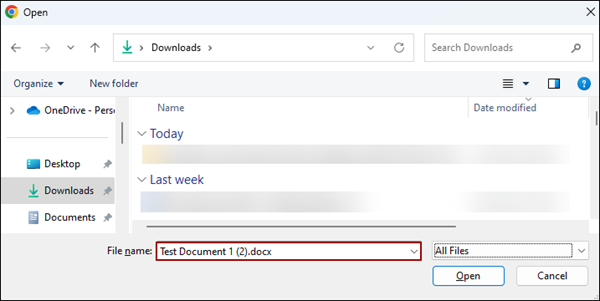
- If Browse Files is selected, choose the required content files and click on the
Open button.
- The Upload files screen displays the success message upon successful file upload.
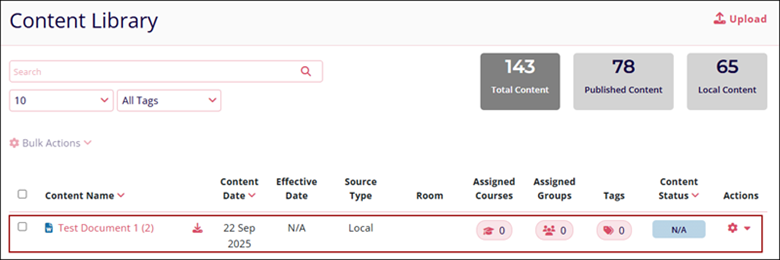
- The Content Library screen displays the newly uploaded files.
© 2025 Trial Interactive. All Rights Reserved

