
Edit a content name
To edit an individual content record name, follow the steps below.
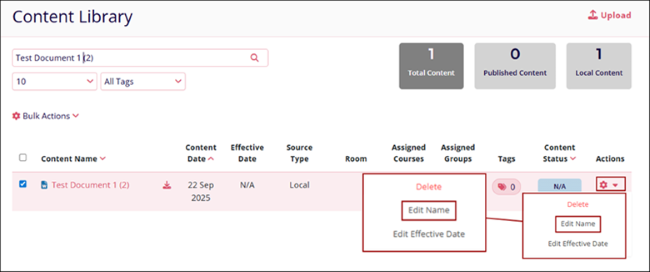
- Click on the Actions column dropdown and select the Edit Name option.
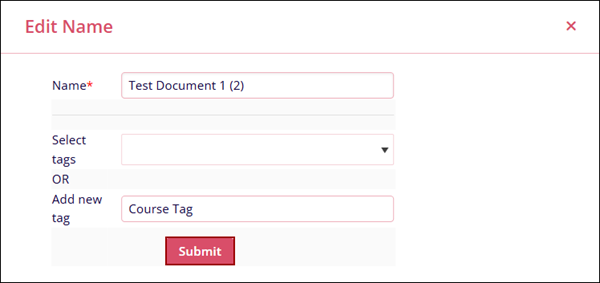
- Update the following details on the Edit Name screen and click on
Submit.
- Name*: Rename or make the required changes to the existing file name.
-
Select Tags: Optionally select a tag from the available dropdown options.
OR
Add New Tag: Enter a new tag for the file.
© 2025 Trial Interactive. All Rights Reserved

