
Add Training Group
Explore Job Aids for more help:
Job Aids
To create a new training group, follow the steps below:
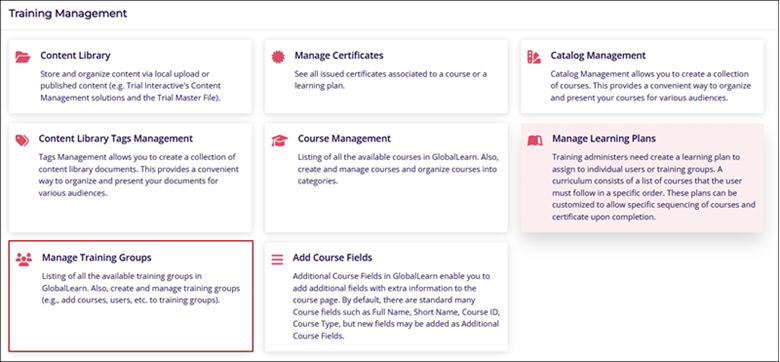
- Navigate to the Company Dashboard page and select Manage Training Groups.
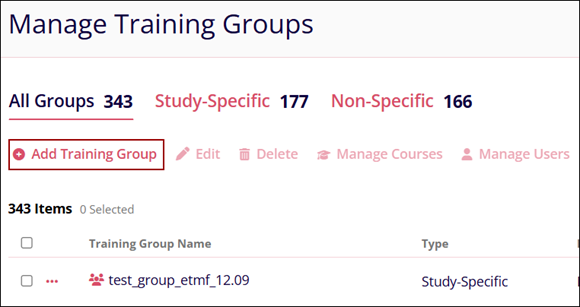
- Click on the +Add Training Group button on the Manage Training Groups screen.
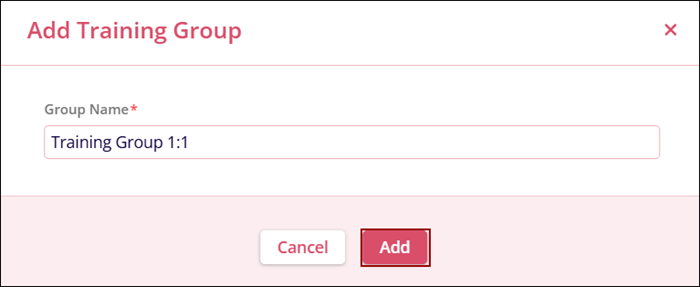
- Provide a suitable name for the training group on the Add Training Group screen and click
on the Add button.
© 2025 Trial Interactive. All Rights Reserved

