
Manage Users
To add users to the training group, follow the steps below:
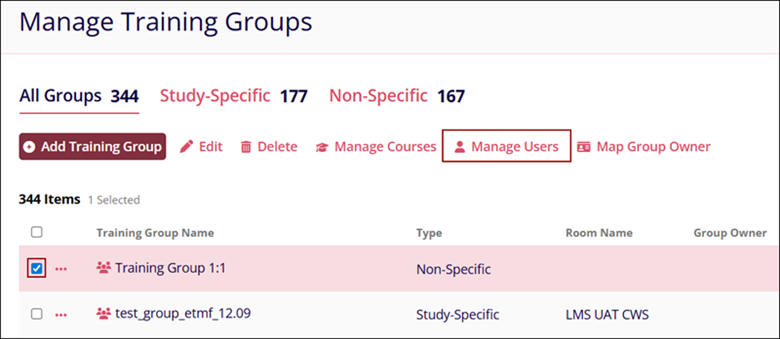
- Select a course by clicking on the checkbox
- Click on the Manage Users option in the top menu bar.
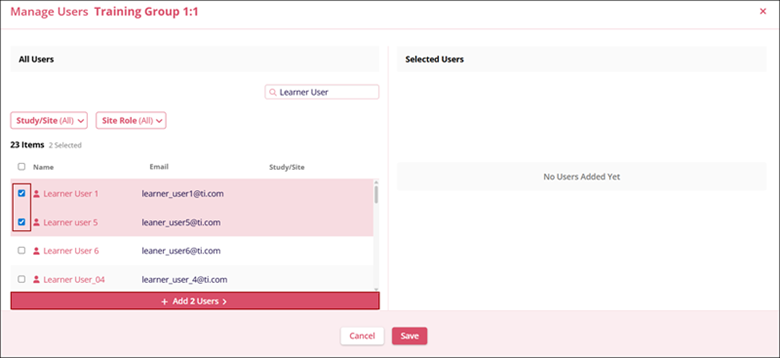
- On the Manage Users screen, select the required courses by clicking on their checkbox.
- Click on the +Add (number of users) User’s button and those users will be
added to the Selected Courses section.
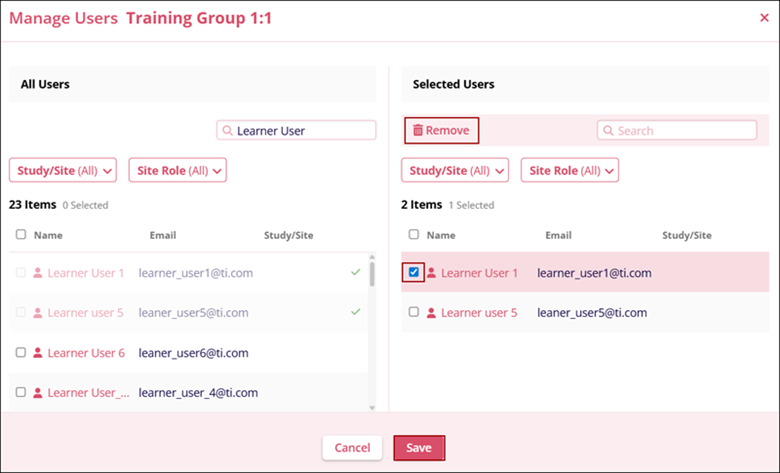
- To remove users, select users from the Selected Courses section and click on the Remove button.
- Once the required number of users is added and removed, click on the Save button.
© 2025 Trial Interactive. All Rights Reserved

