
Manage Learner Status
Explore Job Aids for more help:
Job Aids
The Manage Learners Status option allows users to update the status for multiple courses in bulk.
To manage the learner status, follow the steps below:
- Click on Manage Learner status from the More Options dropdown.
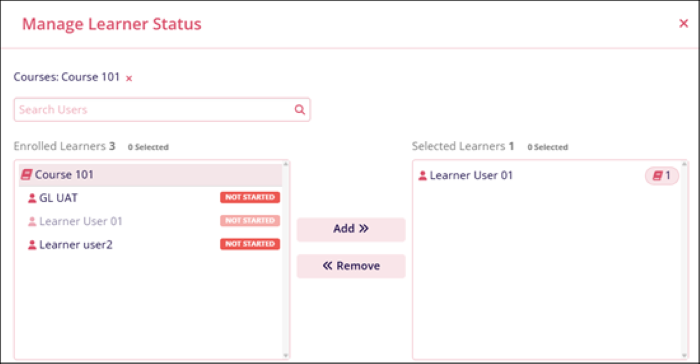
- On the Manage Learner Status screen, click on the course name and add or remove the
required number of learners.
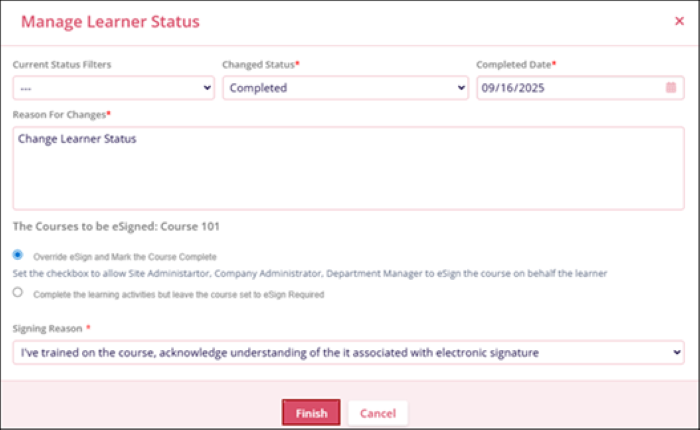
- Additionally, fill in the information for the following fields
- Changed Status*
- Completed Date*
- Reason For Changes*
- Select any one eSginature option
- Override eSign and Mark the Course Complete
- Complete the learning activities but leave the course set to eSign Required.
- Signing Reason*
- Click on the Finish button once all the details are added.
© 2025 Trial Interactive. All Rights Reserved

