
Export to Excel
- Click on the Export to Excel options from the More Options dropdown.
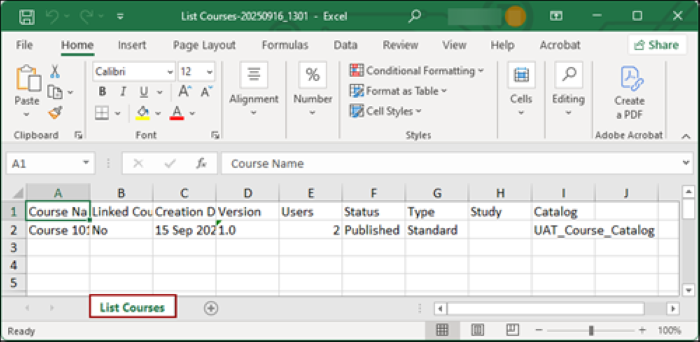
- An Excel file gets downloaded on the system.
Note:
- If specific courses are selected, the exported file displays only the selected courses.
- If no courses are selected, the exported file displays all records present on that page.
© 2025 Trial Interactive. All Rights Reserved

