
Training Plan
To associate courses with one or more training plans, follow the steps below:
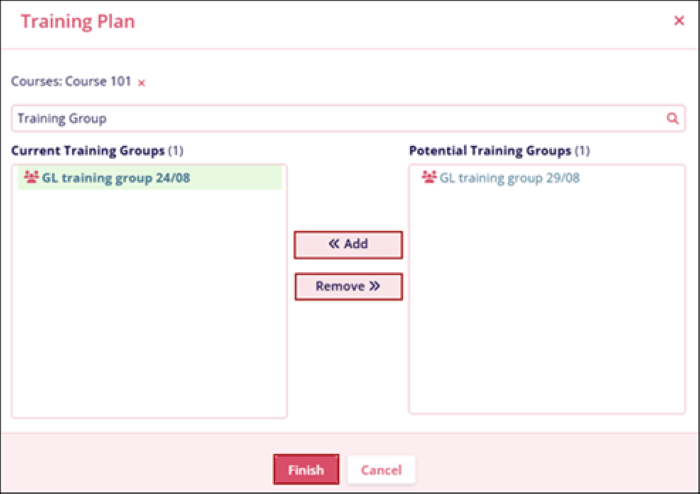
- Click on the Training Plan from the More Options dropdown.
- On the Training Plan screen, select a training plan from the Potential Training Groups section and click on the << Add button.
- Select a training plan from the Current Training groups section and click on the Remove >> button.
- Click on the Finish button once the course is associated with the training groups.
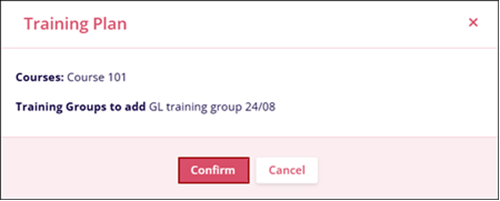
- Click on the Confirm button on the confirmation pop-up.
© 2025 Trial Interactive. All Rights Reserved

