
Set Completion Reminder
Explore Job Aids for more help:
Job Aids
To Set Completion Reminders, follow the steps below:
- Click on the Set Completion Reminder option from the More Options dropdown.
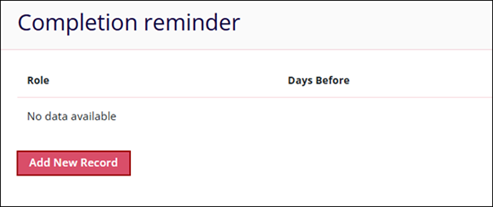
- Click on Add New Record on the Completion reminder screen.
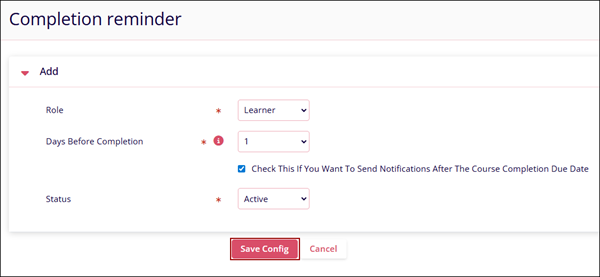
- On the Completion reminder screen, add the following details and click on the Save
Config button.
- Role*: Select a role from the available dropdown options.
- Days Before Completion*: Set the number of days, and the learner user will receive a reminder before days configured before the due date.
- Check This If You Want To Send Notifications After The Course Completion Due Date: Enable this setting to send notifications to the learners.
- Status*: Select either Active or Inactive.
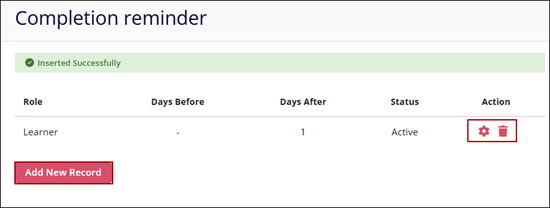
- Click on the Edit and/or Delete icon to make modifications or delete the completion
reminder respectively.
© 2025 Trial Interactive. All Rights Reserved

