
Edit Course Section
To edit a course section, follow the steps below:
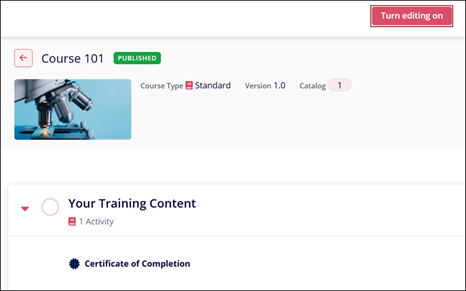
- Click on the course name from the Course Management page.
- Click on the Turn Editing On button.
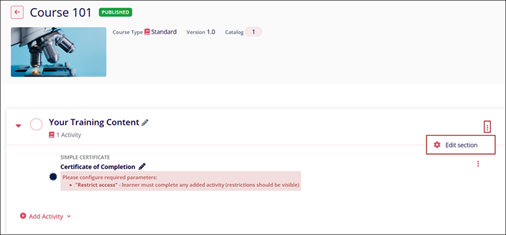
- Click on a section's ellipsis (three vertical dots) icon and select Edit
Section.
- Make changes to the General and Restricted Actions sections on the Edit Your Training Content screen.
© 2025 Trial Interactive. All Rights Reserved

