
Restrict Access
To add certain restrictions regarding course access, follow the steps below:
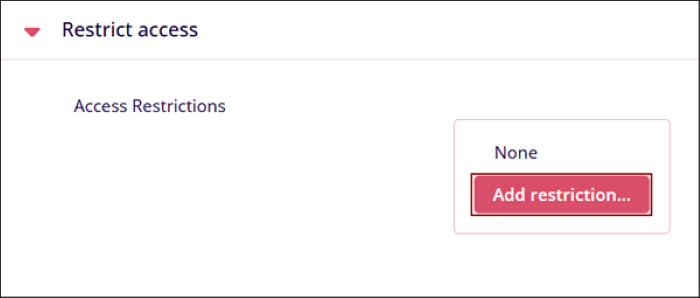
- Click on the Add Restrictions button in the Restrict Access section.
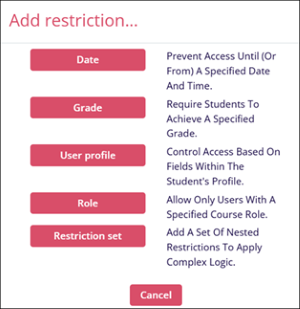
- On the Add Restrictions window, select any one of the following criteria. Refer to
the description provided for each option.
- Add one or multiple restrictions by clicking on the Add restriction button. Refer to the procedure stated in the sections below.
- Click on the Save Changes button once the required restrictions are added.
© 2025 Trial Interactive. All Rights Reserved

