
Add to Catalog
To add courses to a catalog, follow the steps below:
- Click on Add to Catalog from the More Options dropdown.
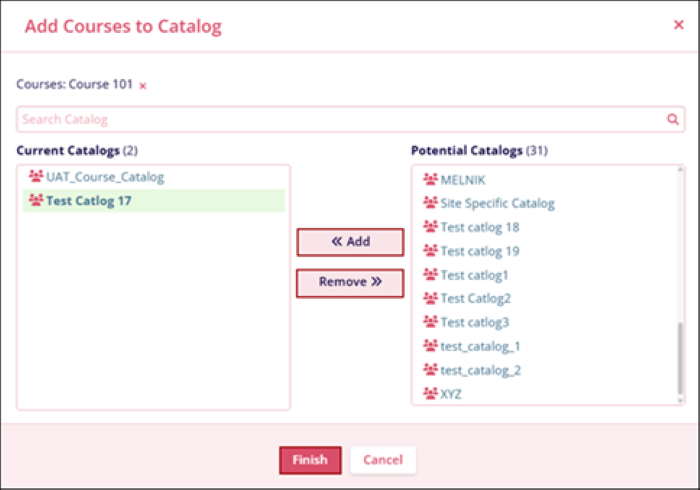
- On the Add Course to Catalog screen, select a catalog from the Potential Catalogs section and click on the << Add button.
- To remove a catalog, select a catalog from the Current Catalogs section and click on the Remove >> button.
- Click on the Finish button
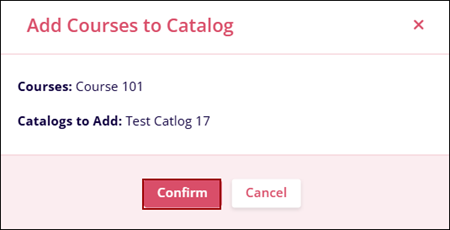
- Click on the Confirm button on the confirmation pop-up.
© 2025 Trial Interactive. All Rights Reserved

