
Edit Event Trigger
To edit an event trigger, follow the steps below:
- Navigate to the Event Manager module and select the Event Triggers tab from the left-hand navigation pane.
- Select an event from the grid and click Edit from the top menu bar.
- Within the Event Trigger General Info section, make the required changes and click Next.
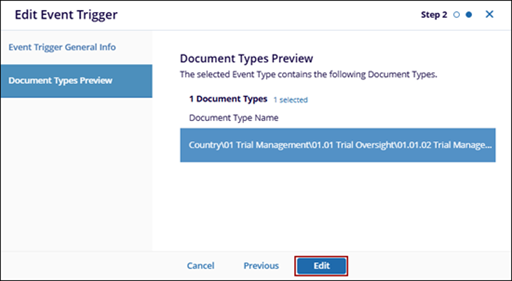
- In the Document Types Preview section, review or edit the associated document types
and click Edit to save the changes.
 Note: In the General Info section, the Status, Category, and Event Type fields are read-only, while all other fields remain editable.

