Delete Event Trigger
To delete an event trigger, follow the steps below:
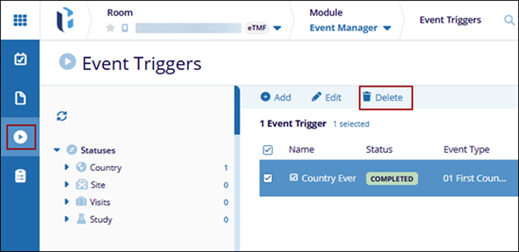
- Navigate to the Event Manager module and select the Event Triggers tab from the left-hand navigation pane.
- Select an event from the grid and click Delete from the top menu
bar.
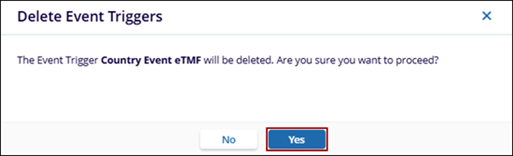
- On the confirmation window, click Yes.