
Reopen a Closed Form
Reopening a closed form allows it to start receiving responses again. Note: When a form is closed, the Send, Save Notifications, and Enable and Save buttons are not displayed, as you cannot send emails or receive responses while the form is closed.
To reopen a closed form, follow these steps:
- Select the closed form you want to reopen.
- On the Form Statistics page, click Reopen Form.
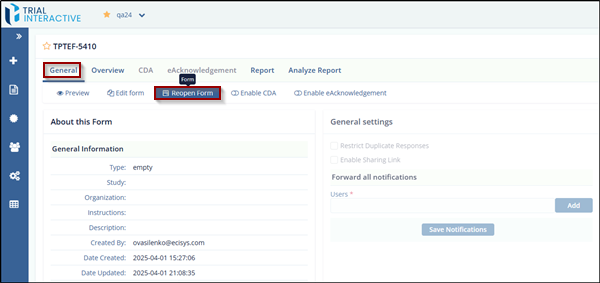
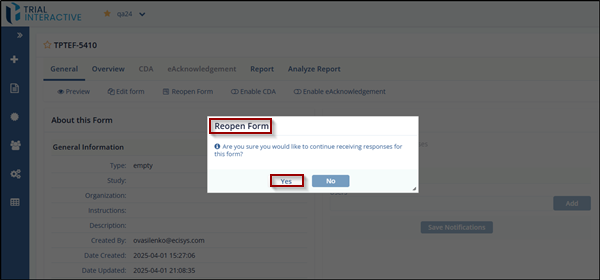
- The Reopen Form pop-up window is displayed.
- Click Yes to confirm and reopen the form.
© 2025 Trial Interactive. All Rights Reserved

