
Close a Form
Closing a form stops it from receiving responses and makes it unavailable for the survey.
To close a form, follow these steps:
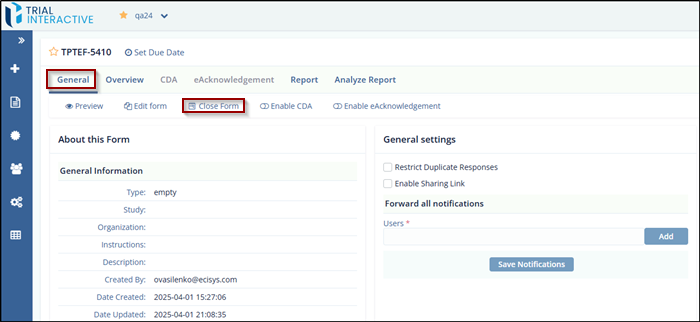
- Navigate to the Form Statistics page and click the General tab.
- Click Close Form.
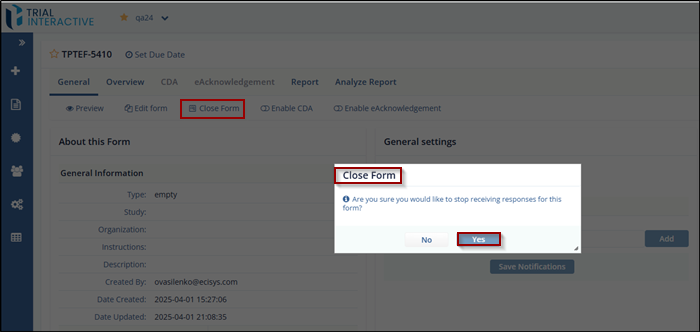
- In the Close Form pop-up window, click Yes to confirm or No to cancel the
action.
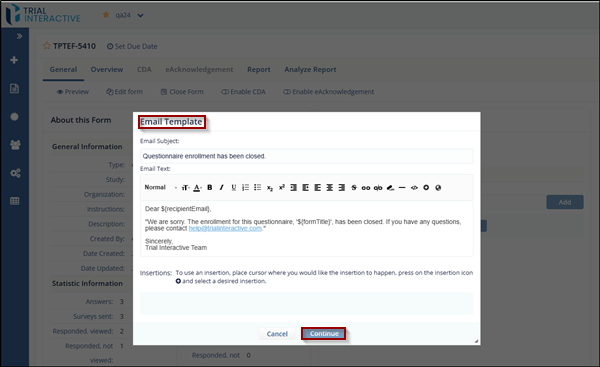
- The Email Template pop-up window appears. Verify that the details in the
template are correct, then click Continue.
-
The form is now closed.
© 2025 Trial Interactive. All Rights Reserved

