
Actions on Forms (Overview)
Click the Overview tab on the Form Statistics page to view the form details.
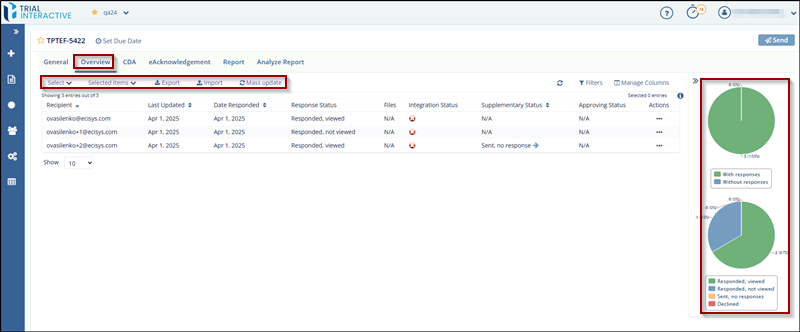
The Overview section of a form is divided into the following areas:
- Recipient, Date Filters, and Page List – Located on the left side of the page.
- Form Recipients Table and Dropdowns – Displayed in the center of the page.
- Responses Pie Chart – Shown on the right side of the page.
-
Form Recipients Table and Dropdowns
Refer to the Recipients section for more information.
-
Responses Pie Chart
Refer to the Pie Charts section for detailed information.
-
- Manage Columns – Displayed at the top right corner.
- Columns like Recipient, Last Updated, Response Status, and PI First Name are part of the Selected Columns list.
- Users can recently add PI First Name, PI Last Name, Organization, and Country to the visible columns.
© 2025 Trial Interactive. All Rights Reserved

