
eAcknowledgement
The eAcknowledgement tab in Trial Interactive allows Sponsors or CROs to track and manage the electronic acknowledgment of documents by recipients during the feasibility or site selection process.
The Enable eAcknowledgement is active once the form is sent, the sponsor will receive an email from the company containing a link to the eAcknowledgement section. The sponsor must click the link and review the provided information. To complete the process, the sponsor must electronically acknowledge the content by submitting the eAcknowledgement form.
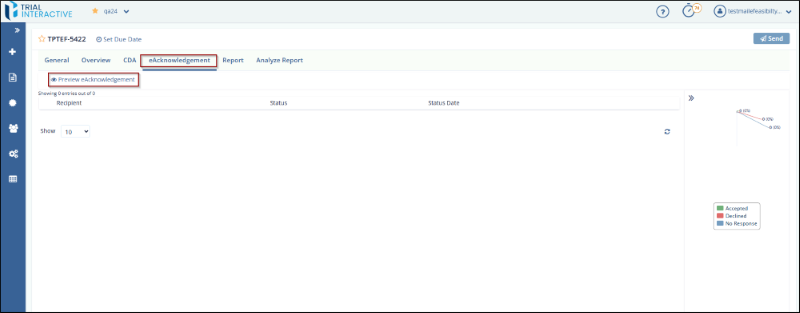
To create eAcknowledgement, follow these steps:
- Click the Enable eAcknowledgement button located in the form toolbar.
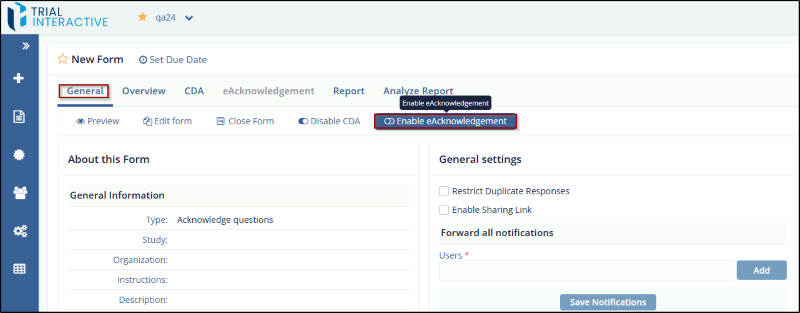
- This action opens the Create eAcknowledgement popup window.
- In the pop-up window, enter a Title for the eAcknowledgement.
- Optionally, enter a Description to provide additional instructions or context for
recipients.
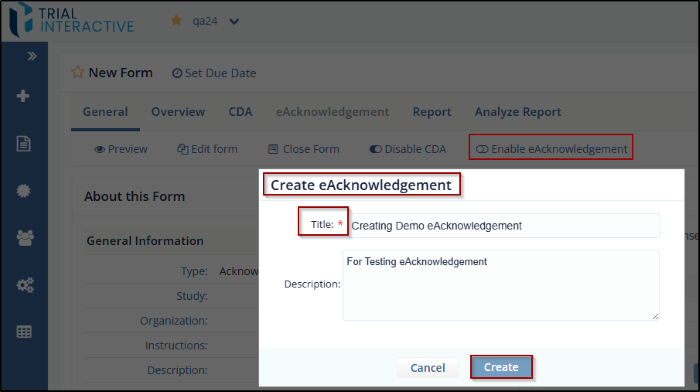
- Click the Create button to save the acknowledgment. The saved eAcknowledgement
window will open with a Preview option where the user can edit and add a Topic from the top
right corner. If the configuration is complete, click the Finish & Close button.
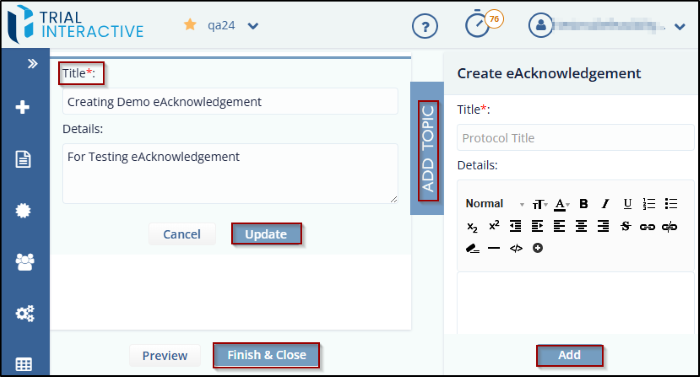
- The eAcknowledgement is now activated for the form, allowing electronic tracking of recipient acknowledgments.
- In the top right corner, click the Send button and add the recipients to whom you
want to send the eAcknowledgement.
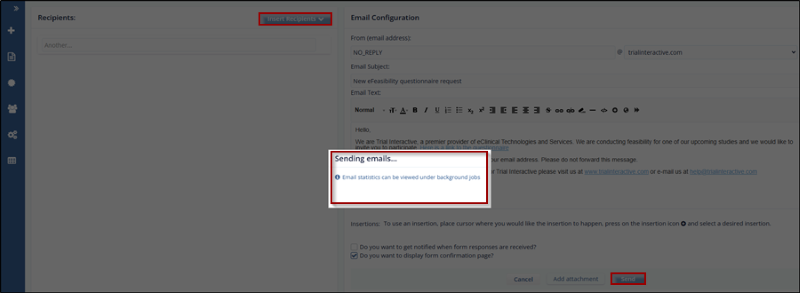
- The recipient will receive an email from NO_REPLY@trialinteractive.com. Click the
link provided in the email.
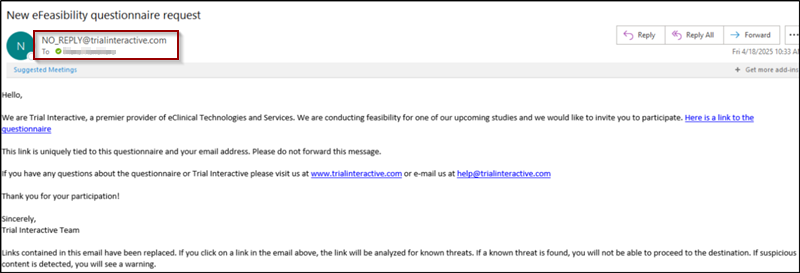
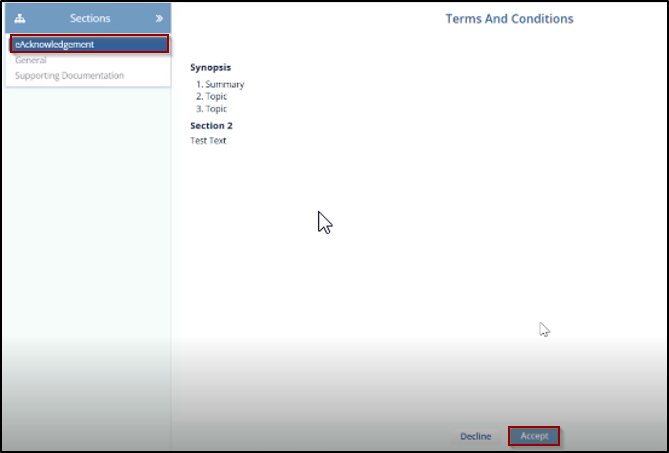
- The Terms and Conditions page will open, displaying the summary and eAcknowledgement
details. Review the information, then click the Accept button.
- Once the eAcknowledgement is accepted, a new window will open displaying the form fields
for the recipient to complete
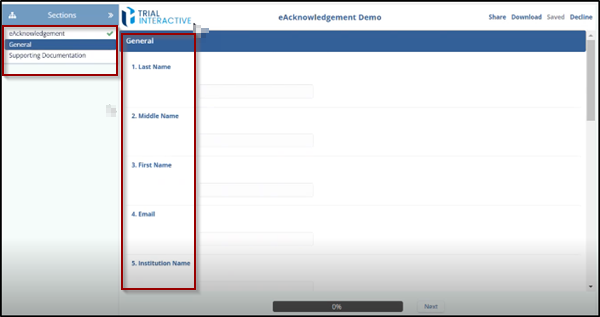
- Under the eAcknowledgement section, the recipient’s name will appear, indicating that the eAcknowledgement has been successfully accepted.
© 2025 Trial Interactive. All Rights Reserved

