
Select
The Select dropdown allows users to quickly filter and select recipients based on their response status.
- All – Selects all listed recipients.
- Responded, viewed – Selects only recipients who have responded and viewed the form.
- Responded, not viewed – Selects recipients who responded but have not yet viewed the form.
- Sent, no response – (Disabled in this view) For recipients who received the form but haven't responded.
- Declined – Selects recipients who have declined.
- Deselect all – Clears all current selections.
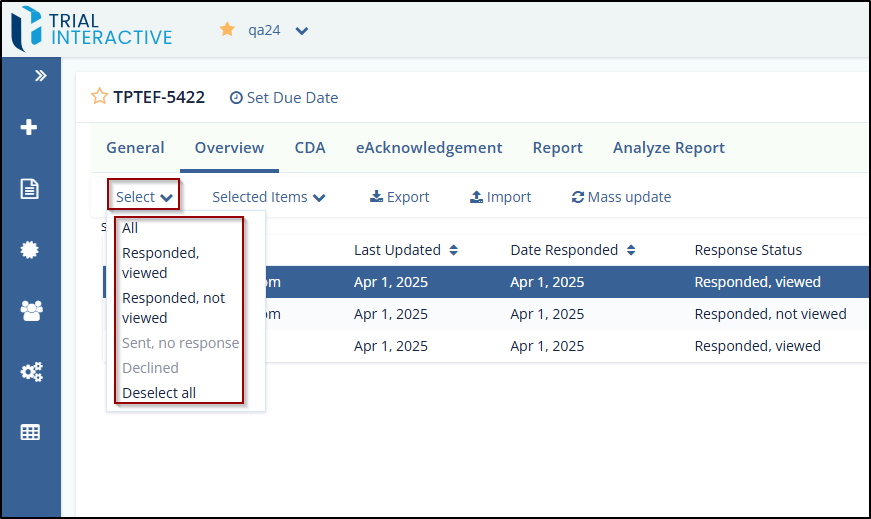
To use the Select dropdown, follow these steps:
- Navigate to the Overview tab of the form.
- Click the Select dropdown located above the Form Recipients table.
- Choose one of the options based on the recipient's response status:
- Select All to include all recipients.
- Select a specific status (e.g., Responded, viewed) to filter the list accordingly.
- Select Deselect all. To clear all selections.
- Once selected, you can proceed with further actions (e.g., export, mass update) using the options in the toolbar.
© 2025 Trial Interactive. All Rights Reserved

