
Preview Published Form
The Preview provides an overview of the form, including all added questions and sections.
To preview the form, follow these steps:
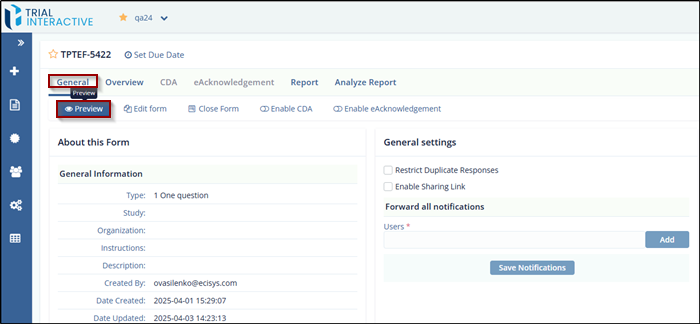
- Navigate to the General tab on the Forms Statistics page.
- Click the Preview icon to open a preview of
the form.
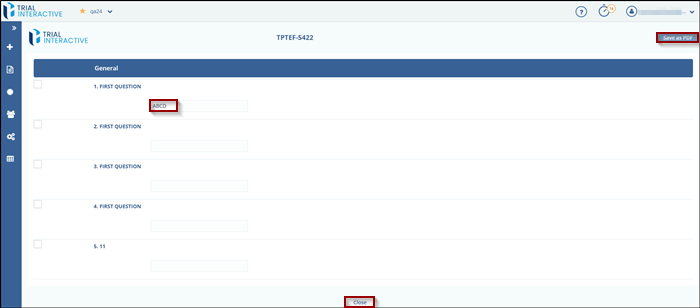
- On the Preview page, you can:
- Click the Save as PDF button to save the published form as a PDF.
- Click the Close buttonat the bottom to cancel and exit the preview.
© 2025 Trial Interactive. All Rights Reserved

