Event Placeholder Management
Add Placeholder for an Event
To add a placeholder for an event, follow the steps below:
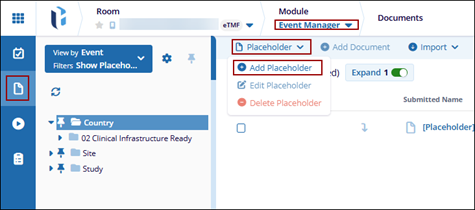
- Navigate to the Event Manager module and select the Documents tab.
- Click the Placeholder dropdown and select Add
Placeholder.
- On the New Placeholder window, enter the required information.
- Click Finish.
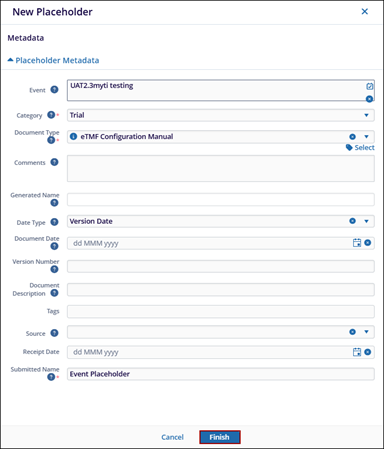
- The new placeholder will be added under the selected event and will appear in the list with a Missing completeness status.
Edit Placeholder for an Event
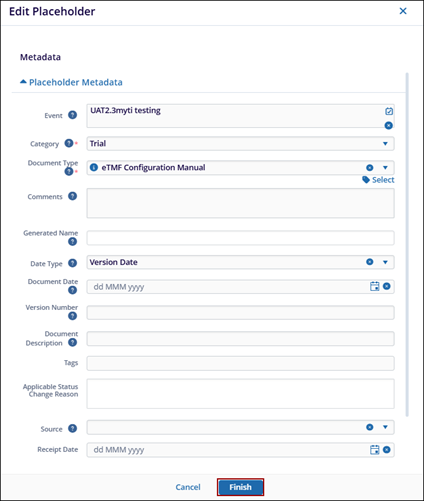
To edit a placeholder, follow the steps below:
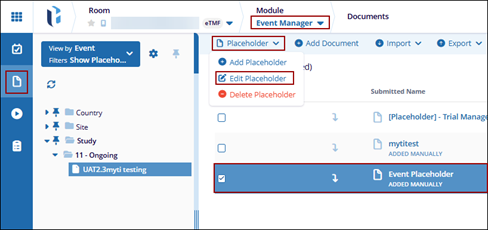
- Navigate to the Event Manager module and select the Documents tab.
- Select a placeholder to edit.
- Click the Placeholder dropdown and select Edit
Placeholder.
- On the Edit Placeholder window make the required updates and click
Finish.
Delete Placeholder for an Event
To delete a placeholder, follow the steps below:
- Navigate to the Event Manager module and select the Documents tab.
- Select a placeholder to delete.
- Click the Placeholder dropdown and select Delete
Placeholder.
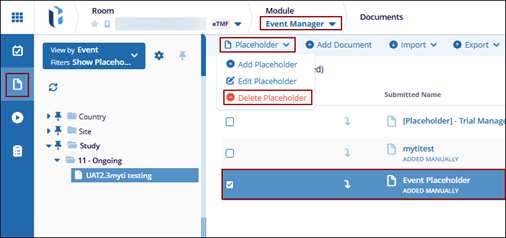
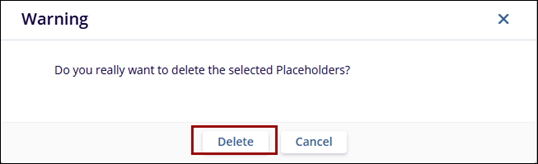
- On the confirmation pop-up, click Delete to remove the
placeholder.