Add Document to a Placeholder
To add document to a placeholder, follow the steps below:
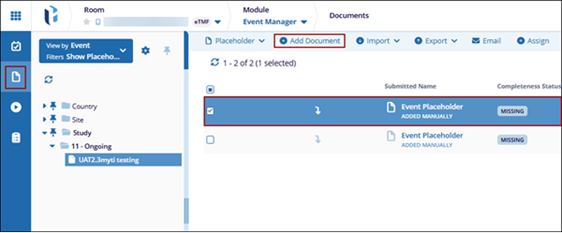
- Navigate to the Event Manager module and select the Documents tab from the left-hand navigation pane.
- Select a placeholder from the grid with Missing as the completeness status.
- Click +Add Document from the top menu bar.
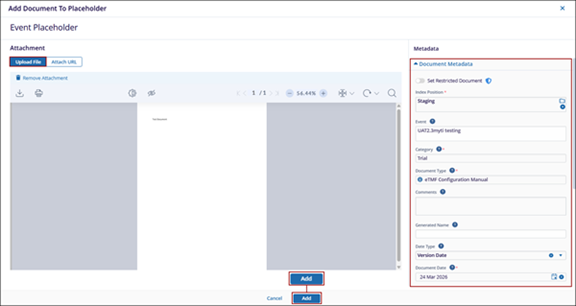
- In the Add Document to Placeholder window, upload a file by selecting the Browse File option or by dragging and dropping the file into the designated area.
- Fill in the metadata within the Document Metadata section.
- Click Add at bottom.
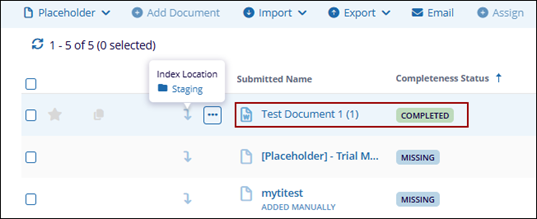
- Once the file is successfully uploaded, the placeholder’s name is replaced with the documents name.
- Additionally, the ‘Missing’ status is updated to ‘Completed’.
- Hovering over the arrow displays the index position of the document.