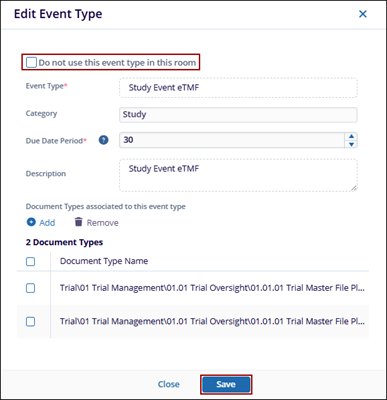
Edit Event Type
Explore Job Aids and Videos for more help:
Job Aids
Videos
To edit the event type, follow the steps below:
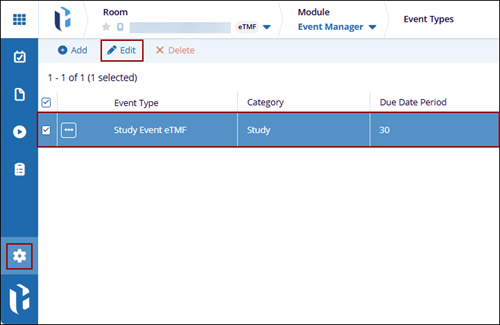
- Navigate to the Event Manager module and, click on the gear icon from the left-hand navigation pane.
- Select an event type from the list to edit.
- Click on the Edit button from the top menu bar.
- On the Edit Event type window, update the event details and add or remove the document types.
- Check or Uncheck the Do not use this event type in this room checkbox.
- Click Save.