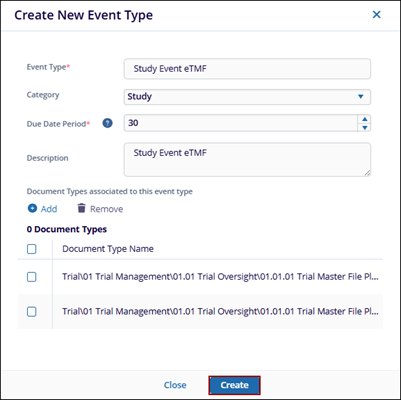
Create Event Type
Explore Videos for more help:
Videos
To create an event type, follow the steps below:
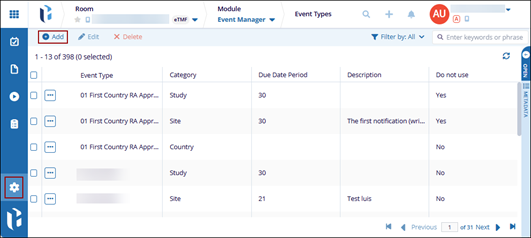
- Navigate to the Event Manager module and, click on the gearwheel icon from the left-hand navigation pane.
- Click the +Add button from the menu bar.
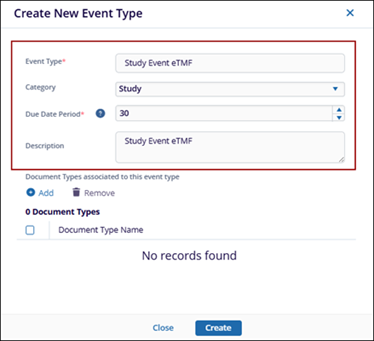
- On the Create New Event Type window, enter the following details:
- Event Type: Provide a name for the event type.
- Category: Select the appropriate category (Study, Country, or Site) from the dropdown list.
- Due Date Period: Define the due date period using the up and down arrow controls.
- Description: Add description to the event type.
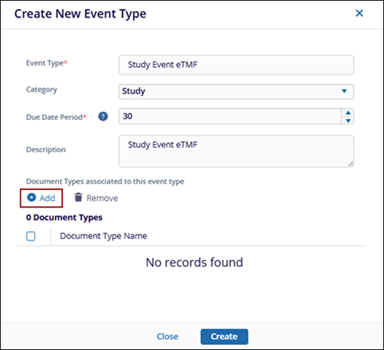
- To associate document types to this event type, click the +Add button above the
Document Type Name.
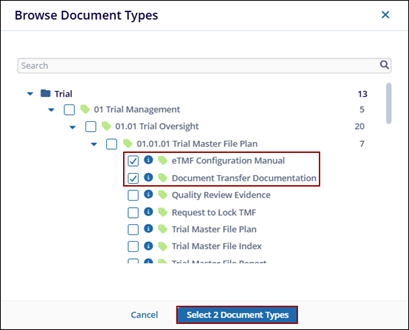
- On the Browse Document Types window, expand the category folder and choose the document type.
- Click Select at the bottom.
- Once all document types have been added, click the Create button.