
Create Tasks
To create a new task, follow the steps below:
- Navigate to the Tasks module and select the Tasks tab.
- Click the +Add button from the top menu bar.
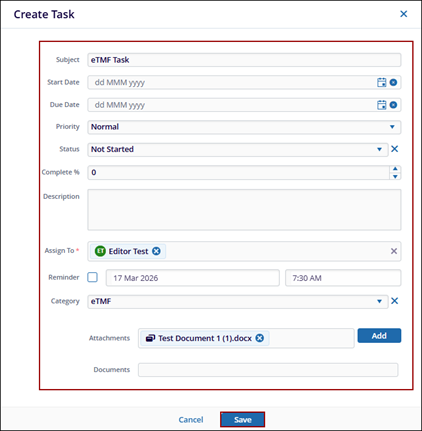
- In the Create Task window, fill in the required data fields.
- Subject
- Start Date
- Due Date
- Priority
- Status
- Complete
- Description
- Assign To
- Reminder
- Category
- Attachments
- Documents
- Click Save.
 Note: Users can assign tasks to other users only if the Tasks action is enabled in their profile through the User Management module.

