
Copy an Event
To copy an event, follow these steps:
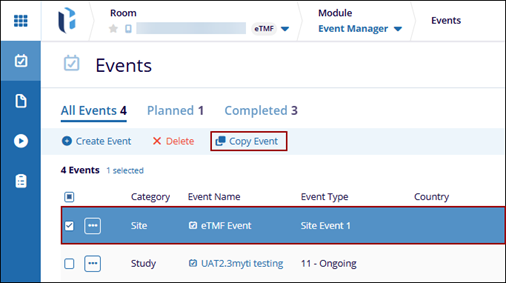
- Navigate to the Event Manager module and click the Events tab from the left-hand navigation pane.
- Select an event from the grid and click the Copy Event button from the
top menu bar.
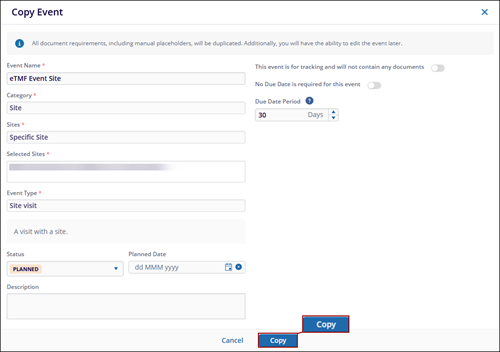
- On the Copy Event window, enter a new name for the event and click
Copy.
 Note:
Note:- While copying an event, users can modify the Event Name, Status, Planned Date, Description, and Due Date; however, the Category and Event Type fields remain non-editable.
- When a completed event is copied, the status of the newly created event must be updated accordingly.

