
Upload Users
The Upload Users option enables bulk creation or addition of users through a CSV template.
To upload users through a CSV template, follow the steps below:
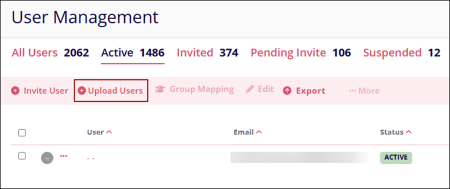
- Click on the ‘+ Upload Users’ button on the User Management page.
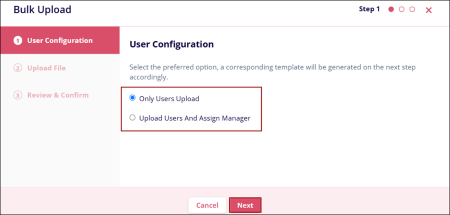
- In the User Configuration step, select one of the available options to generate
the corresponding template and click ‘Next’.
- Only Users Option:
- Upload Users and Assign Manager
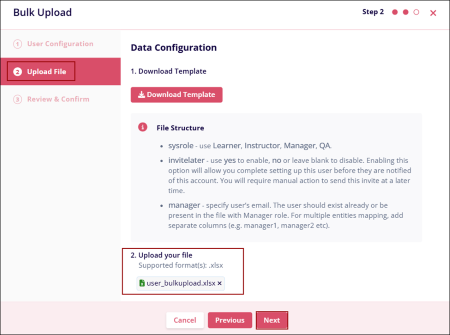
- In the Upload File step, click Download Template to obtain a sample file that shows
the required format for uploading user data.
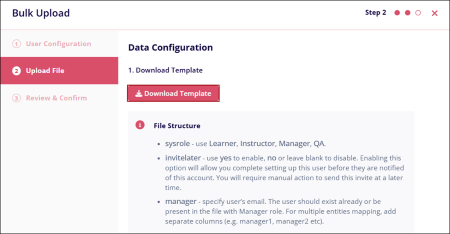
- The structure of the downloaded template will correspond to the option selected
in Step 1: User Configuration.Note: Access the ‘Bulk Upload Instructions’ tab for each column requirements and definitions.
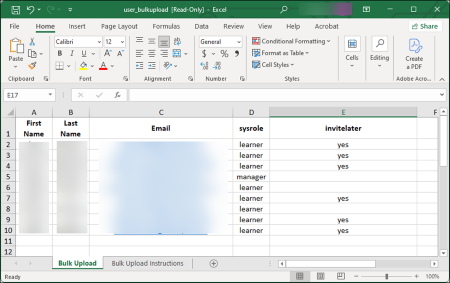
- Create a user list following the template format, then upload the XLSX file
using either the drag-and-drop option or the manual upload functionality; then
click ‘Next’.
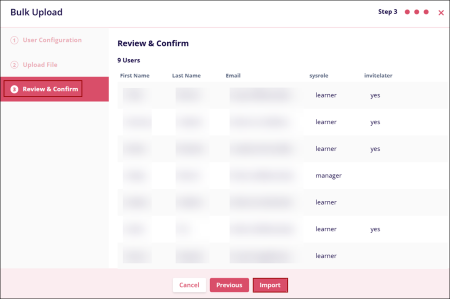
- Within the ‘Review & Confirm’ step, verify the user details and click
‘Import’.
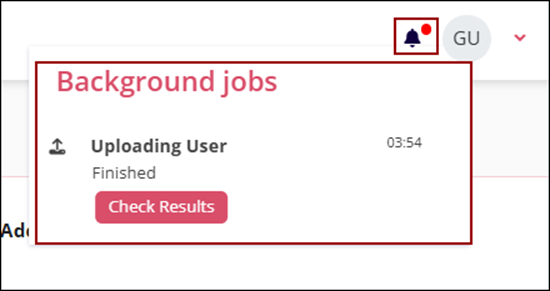
- Click on the notification center (bell) icon to view the progress.
© 2025 Trial Interactive. All Rights Reserved

