
Monitor Training Progress for Site Personnel
Explore Job Aids for more help:
Job Aids
To track the site personnel's learning progress, follow the steps below:
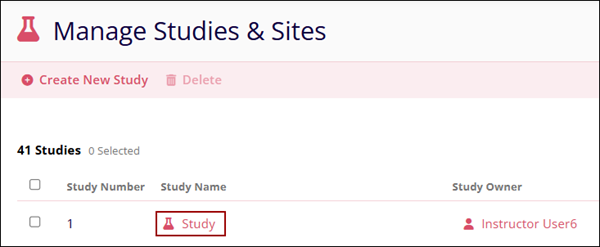
- On the Manage Studies & Sites screen, select a Study.
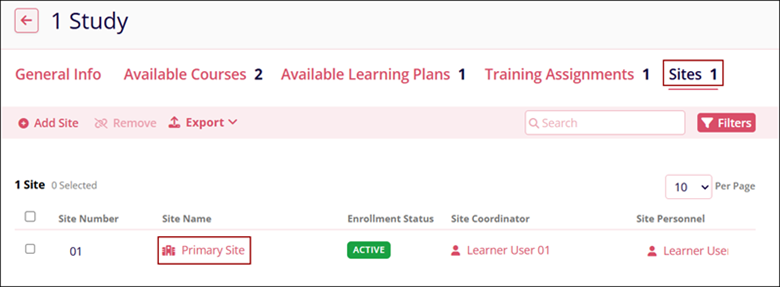
- On the Study’s screen, navigate to the Sites tab and select a Site.
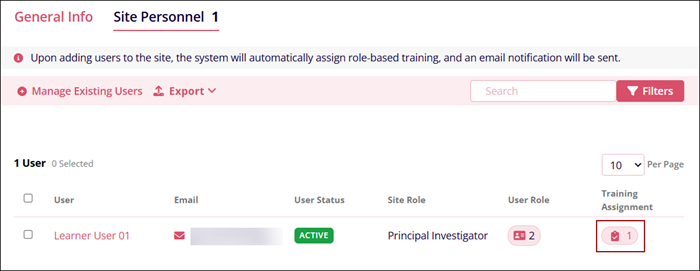
- On the Site screen select the Site Personnel tab and click on the
Training Assignment Badge icon to view the training progress of site personnel.
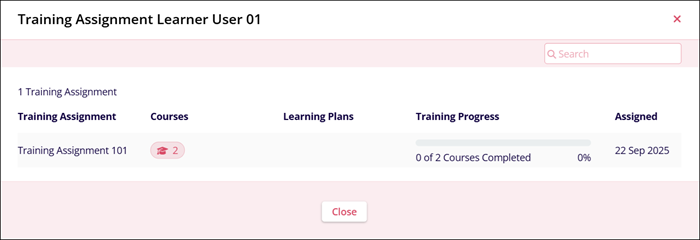
- The Training Assignment popup displays the Training Assignment progress status.
© 2025 Trial Interactive. All Rights Reserved

