
Add Learning Plans to study
Similar to adding or associating courses to a study, users have the option to associate an existing course with a study or to create a new course directly in the study.
To associate a learning plan with a study, follow the steps below:
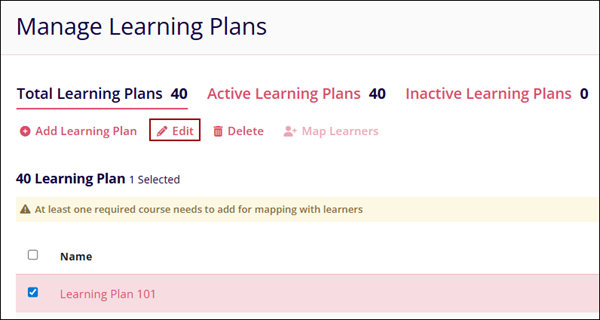
- From the left-hand navigation pane, select Company Dashboard > Manage Learning Plans.
- On the Manage Learning Plans screen, select a learning plan and click on the Edit
button.
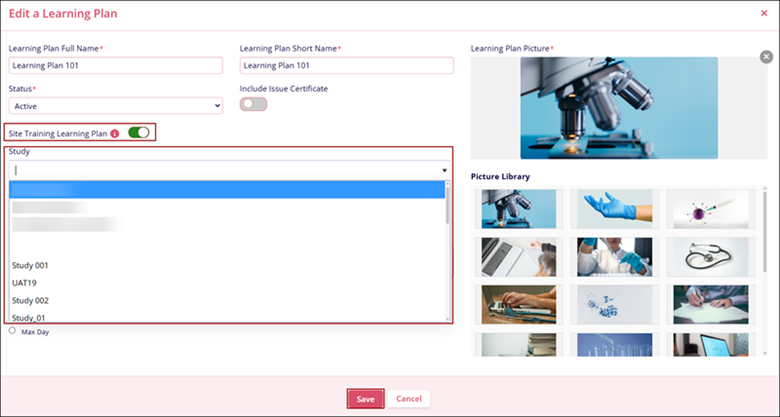
- On the Edit A Learning Plan screen, enable the Site Training Learning Plan toggle
switch, add study or study(s), and click on the Save button.
To add learning plans directly to a study, follow the steps below:
- Select a study from the Manage Studies & Site module.
- Navigate to the Available Courses tab and click on the +Create New Course
button.
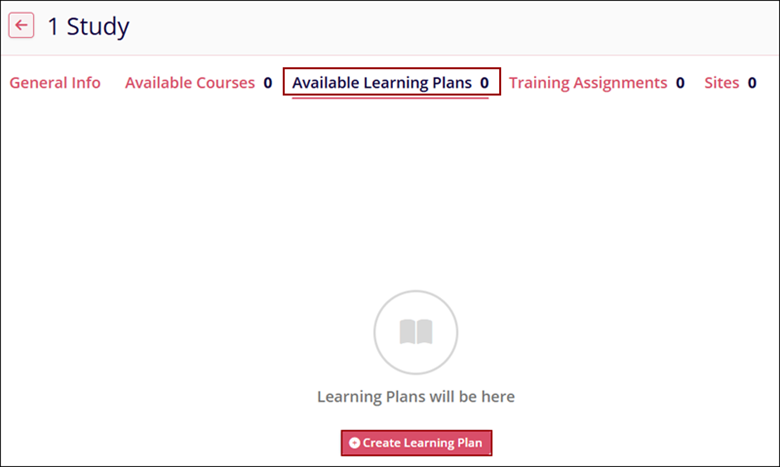
- Refer to the learning plan creation steps detailed in the Add Learning Plan section.
© 2025 Trial Interactive. All Rights Reserved

