
Create New Study
Explore Videos for more help:
Videos
To create a new study, follow the steps below:
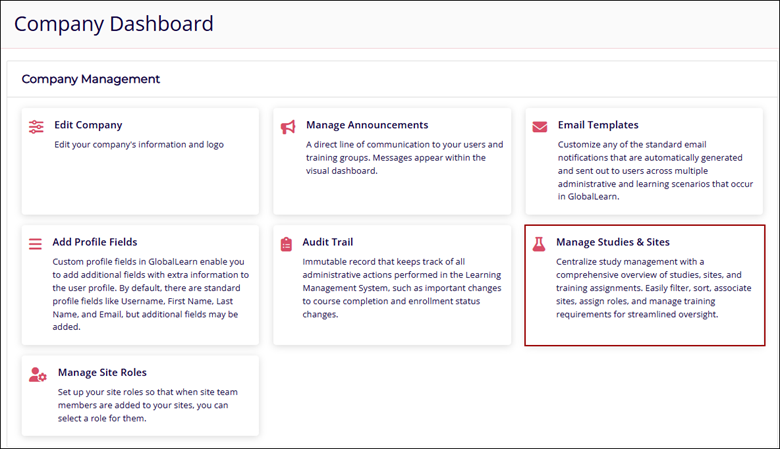
- Navigate to the Company Dashboard page and select the Manage Studies & Sites
module.
-
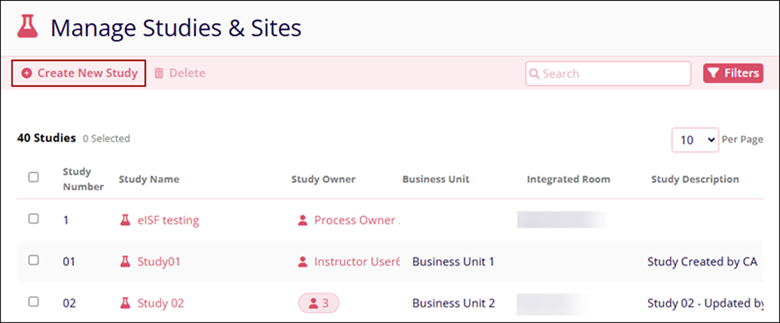
Click on the +Create New Study button from the top menu bar.
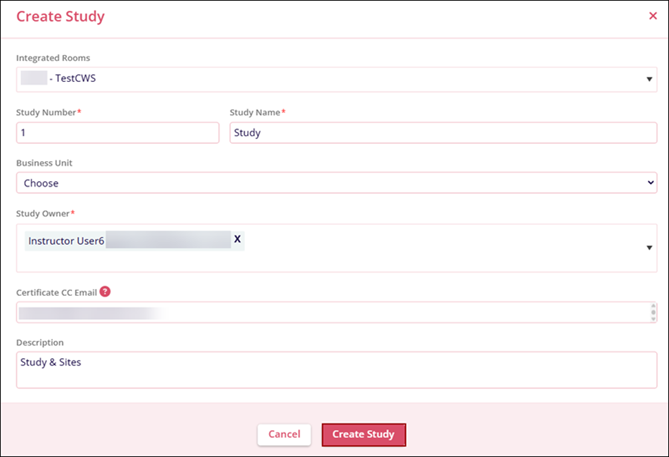
- On the Create Study screen, add the following details.
- Integrated Room: Optionally select a desired room from the dropdown list.
- Study Number*: Enter a number for the study.
- Study Name*: Enter a name for the study.
- Study Owner*: Add multiple users from the dropdown options.
- Certificate CC Email: Enter email addresses of recipients who should also receive the study-related course completion certificate along with the learner.
- Description: Optionally provide a description for the Study.Note:
- If a room is added, the connection becomes active once the study is successfully saved.
- In the future, all subsequent courses directly associated with this study profile will have the ability to have training records and certificates automatically routed to this Integrated Room. This will decrease the dependency on always having the course associated with an integrated training group.
- Click on the Create Study button.
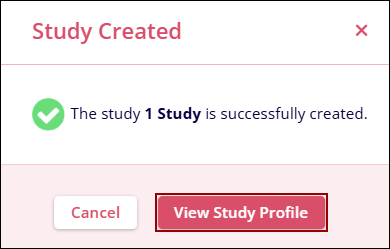
- Click the View Study Profile button on the study creation confirmation popup.
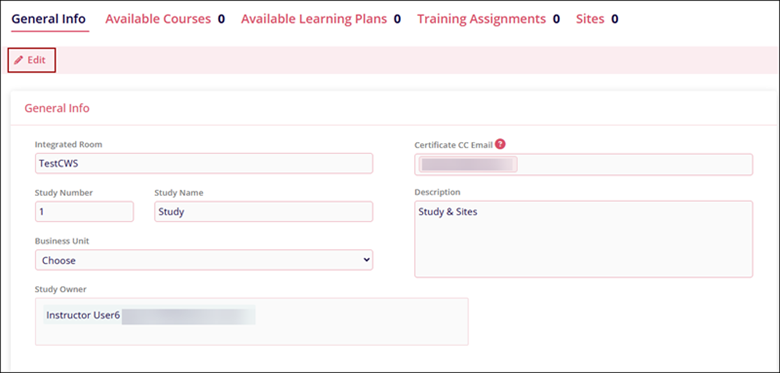
- The General Info section of the created study displays the added information.
- Click on the Edit button to modify the initially configured details.
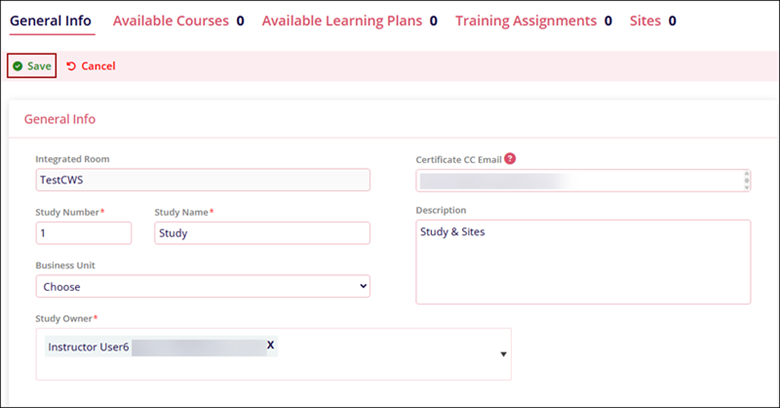
- Make the necessary changes to the General Info section and click on the Save
button.
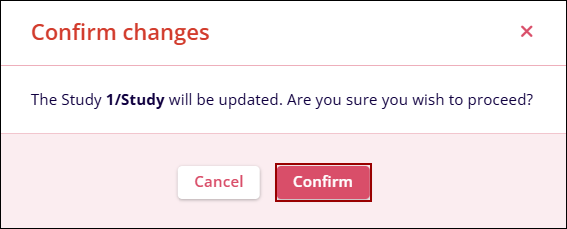
- Click on the Confirm button on the confirmation pop-up.
Important
Users with a Study Owner Role have certain permissions and access to key modules in Study & Site management. It allows flexibility in role assignments and efficient management of courses, training sites, and certificates. Users with a Study Owner role have the following capabilities.
- Manage Study Profiles for assigned studies, including adding sites, personnel, and training assignments.
- Assign and manage Site Coordinators and Site Personnel.
- View all courses and learning plans associated with assigned studies, regardless of the creator.
- View and manage certificates for site personnel within their studies.
- Filter certificates based on study owners' assigned studies and related personnel.Note:
Study Owners with a learner role cannot create courses or learning plans.
© 2025 Trial Interactive. All Rights Reserved

