
Create New Form
To create a new Form, follow these steps:
- Open a required project, from the project dropdown, available at the top.
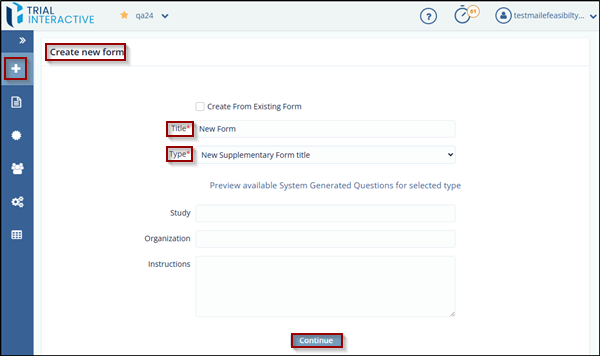
- Click the New Form from the left side Menu Bar.
-
Fill the data in the required fields and click the Continue button.
- A new form will open based on the selected type. It will include fields such as: First Name, Last Name, Email, Institution Name, Institution Address, City and more.
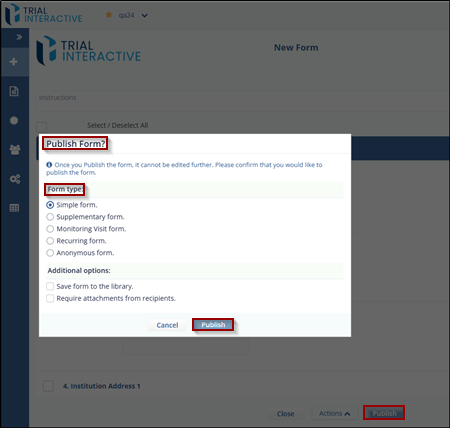
- Once all the required data is filled in, click Publish. A new window will pop up with Form type options, such as: Simple form, Supplementary form, Monitoring Visit form, recurring form, Anonymous.
- Please note that once user publishes the form, it can no longer
be edited. Confirm that user would like to proceed with
publishing.
© 2025 Trial Interactive. All Rights Reserved

