
Add Section to Form
The Add Section option allows users to create a new section in the form and add a custom heading.
To add the sections to a form, follow these steps:
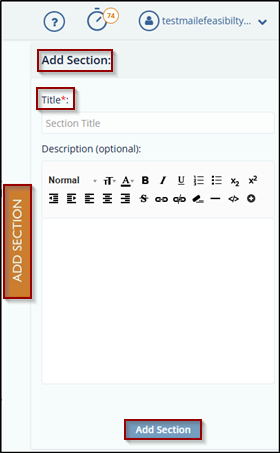
- On the Form Draft page, click the Add Section tab on the right panel.
- In the Add Section tab, provide the following details:
- Title – Enter a title for the section.
- Description – (Optional) Enter a description for the section, if needed.
- Click the Add Section button to insert the new
section into the form.
Note:
The user can reorder sections using the following methods:
- Use the Up and Down arrows to move a section.
- Drag and drop the section to the desired position.
© 2025 Trial Interactive. All Rights Reserved

