
Logo Configuration
The user can change the Logo of a Form from the upper left corner of a form. Note: user can change the logo of a form only when it is in Draft mode.
To change Logo, follow these steps:
- Open the required draft Form.
- Open the form where the user wants to change the logo. The form opens in Edit mode, allowing you to also edit the General fields.
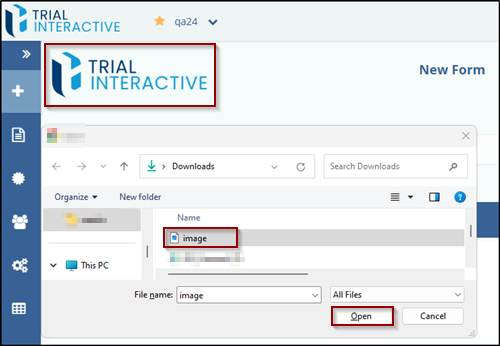
- Double-click the logo located at the top-left corner. The File Upload dialog box appears.
- Select the desired image and click Open.
-
The selected image is uploaded and applied as the new form logo.
© 2025 Trial Interactive. All Rights Reserved

