Columns
To Manage columns within the countries screen, follow the steps below.
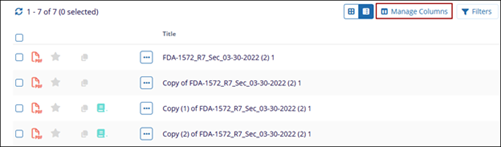
- With the Grid View selected, click on the Columns button.
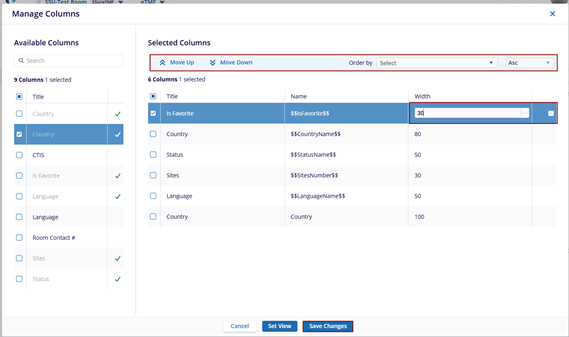
- On the Manage Columns screen, perform the following:
- Select column headers from the Available Columns section and add them to the Selected Columns section.
- In the Selected Columns section, select a column and click on the Move Up and Move Down arrows to re-arrange the order of the columns.
- Adjust the width of the column by increasing or decreasing the value.
- Click on the - sign to remove the column from the Selected Columns list.
- Click on the Order by dropdown and select the criterion from the available dropdown options.
- Sort the columns in Ascending and descending order by selecting the necessary option.
- Click on the Save Changes button.